
Picking between Serato and Rekordbox isn’t just a software debate. It’s a decision that shapes how fast you find tracks mid-set, how clean your library stays before a gig, and how confident you feel walking into any room. Both platforms are powerful. Both have loyal followings. But they approach music library organization in fundamentally different ways, and that gap matters more than most DJs realize. This article breaks down the real differences in crate and playlist systems, workflow speed, and ideal use cases so you can stop second-guessing and start prepping smarter.
Table of Contents
- Key criteria for evaluating DJ crate systems
- How Serato’s crate system works
- How Rekordbox structures playlists and organizational tools
- Side-by-side: Serato versus Rekordbox crate and workflow comparison
- Which system is best for your DJ style?
- Why crate philosophy matters more than features
- Take your crates and playlists further
- Frequently asked questions
Key Takeaways
| Point | Details |
|---|---|
| Sorting and speed | Serato offers faster analysis and flexible live sorting, ideal for dynamic performance DJs. |
| Prep power | Rekordbox excels at deep prep with tagging and USB export for club and festival use. |
| Metadata handling | Serato embeds data in music files for portability; Rekordbox requires export for transfer. |
| Hardware compatibility | Rekordbox shines on Pioneer CDJs and older laptops; Serato delivers for laptop-focused gigs. |
| Workflow matters most | Choosing the right software depends on your DJing style, gig type, and how you want to manage your crates. |
Key criteria for evaluating DJ crate systems
Before you pick a side, you need to know what actually matters in a crate or playlist system. Not every DJ needs the same thing. A mobile entertainer playing weddings has completely different workflow needs than a club DJ prepping for a four-hour techno set.
Here’s what to evaluate:
- Flexibility: Can you build crates manually, automatically, or both?
- Speed and workflow efficiency: How fast can you find, sort, and play a track?
- Tagging and color-coding: Can you label tracks visually for quick scanning?
- Preparation versus performance orientation: Does the software focus on pre-gig prep or in-the-moment performance?
- Library portability: Can you take your cues and metadata to another machine easily?
- Hardware compatibility: Does the software work with your gear, whether that’s a laptop controller or club CDJs?
These six criteria separate a good crate system from a great one. Serato uses Crates and Smart Crates for dynamic, rule-based auto-populating playlists, nested crates, color-coding, and batch analysis. Meanwhile, Rekordbox uses Playlists and Collections with advanced tagging like My Tags, AI-powered suggestions, related tracks, and cloud sync for granular organization.
Those aren’t just feature lists. They reflect two different philosophies about how DJs should work.
Pro Tip: Write out your actual gig workflow before comparing software. If you spend more time prepping than performing, prioritize organization depth. If you’re always performing on the fly, prioritize speed and flexibility.
Understanding why event DJs pick Serato crates often comes down to how fast they can pull up the right song in a live, unpredictable crowd situation.
With these criteria in mind, let’s dig into how Serato and Rekordbox handle music library organization.
How Serato’s crate system works
Serato’s approach to organization is built for the performer. It’s fast, flexible, and designed to keep you moving without interrupting your creative flow.

Manual Crates are exactly what they sound like. You drag tracks in, build them how you want, and they stay exactly where you put them. No rules, no automation. Just your instincts organized into folders.
Smart Crates are where Serato gets interesting. These are rule-based crates that auto-populate based on criteria you set, like genre, BPM range, key, or rating. Set the rules once and the crate fills itself every time you add new music that matches. That’s a serious time saver when your library grows past a few thousand tracks.
Key Serato crate features include:
- Nested crates: Organize crates inside crates for a tiered folder structure
- Color-coding: Assign colors to tracks or crates for instant visual recognition
- Batch analysis: Analyze entire folders at once for BPM and key detection
- Crate search and filtering: Search within a specific crate rather than your whole library
- Secondary column sorting: Sort by key, then by BPM within that key view
That last point is a big deal. Secondary column sorting, such as sorting by key then BPM, is a workflow advantage Rekordbox doesn’t offer, and it’s crucial for harmonic mixing. If you’re building sets around Camelot wheel progressions, Serato gives you a faster path to finding compatible tracks.
“The best DJs don’t just know their music. They can find it in under five seconds under pressure.”
One more major advantage: Serato embeds DJ metadata like cues, loops, BPM, and key directly into the music files themselves. That means if you switch laptops, plug in a new hard drive, or share a drive with another DJ, your data travels with the files. No re-importing. No lost cue points. That’s portability most DJs don’t fully appreciate until they need it.
The trade-off is system resources. Serato tends to use more RAM and CPU than Rekordbox, especially during analysis. On a newer machine, you won’t notice. On an older laptop, it can cause hiccups.
Pro Tip: Use Smart Crates to auto-build genre or energy-level crates, then manually curate your top picks into nested sub-crates. You get the best of automation and personal taste in one system.
Learning how to make the most of Serato crates means thinking about your library structure before you start dragging tracks around.
How Rekordbox structures playlists and organizational tools
Serato brings speed and performance focus, but Rekordbox offers a different, more prep-focused system.
Rekordbox is built around the idea that the best performance starts long before you step behind the decks. Its library system reflects that philosophy at every level.
Playlists and Collections form the backbone of Rekordbox organization. Your Collection is your master library. Playlists are curated subsets, similar to Serato’s manual crates, but with a deeper tagging layer on top.
Here’s what makes Rekordbox’s tagging system stand out:
- My Tags: Custom tag categories you create yourself, like “Opener,” “Crowd Pleaser,” or “Late Night Banger”
- Color system: Assign colors to tracks for visual sorting across your library
- Related tracks: Rekordbox suggests tracks based on what you’re currently playing or viewing
- AI-powered suggestions: The software analyzes your listening and playing patterns to recommend additions
- Cloud sync: Access your library and playlists from multiple devices without manual transfers
Rekordbox’s advanced tagging through My Tags and color systems gives archivist-style DJs a level of granularity that Serato simply doesn’t match. If you’re the type who wants to tag every track with mood, energy level, and event type, Rekordbox is your system.
The biggest structural difference is the separation between library prep and live performance. Rekordbox separates library preparation from performance through Export mode, which lets you export playlists with full metadata to a USB drive for use on Pioneer CDJs. That’s the club standard workflow worldwide. Prep at home, plug in the USB, play on the club’s gear.
The catch: Rekordbox stores metadata in a separate database, not inside the music files themselves. That means transferring your library to another machine requires exporting the database, not just copying files. It’s an extra step that can trip up DJs who are used to Serato’s file-embedded approach.
On the hardware side, Rekordbox is lighter on resources and runs more stably on older laptops. If your machine is a few years old and you’re worried about performance stability, Rekordbox is the safer bet.
Pro Tip: Build your My Tags system before you start importing music. Decide on five to eight custom tags that reflect how you actually use tracks at gigs. Retroactively tagging a 10,000-track library is painful. Start organized, stay organized.
Side-by-side: Serato versus Rekordbox crate and workflow comparison
To put it all together, here’s a direct breakdown of where each system shines for DJs.
| Feature | Serato | Rekordbox |
|---|---|---|
| Organization type | Manual Crates and Smart Crates | Playlists and Collections |
| Auto-population | Smart Crates (rule-based) | AI suggestions and related tracks |
| Custom tagging | Color-coding and ratings | My Tags, colors, and custom categories |
| Secondary sorting | Yes (key then BPM) | No |
| Metadata storage | Embedded in music files | Separate database |
| Library portability | High (files carry data) | Requires database export |
| USB/CDJ export | Limited | Full Export mode for Pioneer CDJs |
| Cloud sync | No native option | Yes |
| System resource use | Higher RAM and CPU | Lower, more stable on older hardware |
| Best for | Mobile, event, laptop DJs | Club, festival, archivist DJs |
The contrast between the two platforms is clear when you look at it this way. Rekordbox earns praise for archivist-level organization. Serato wins on performer-friendly simplicity and speed. Neither is objectively better. They’re optimized for different working styles.
One thing worth noting: most published comparisons focus on analysis speed and resource use as the primary benchmarks. But for working DJs, the real benchmark is how fast you can find the right track and how confident you feel in your library structure at 11 PM on a Saturday night.
That’s the number that actually matters.
Which system is best for your DJ style?
The key differences are now clear, so here’s how to decide which fits your DJ workflow best.
Think about your typical gig. Not your dream gig. Your actual gig, the one you’re playing next weekend.
-
You’re a mobile or event DJ playing weddings, corporate events, or parties. You need fast crate access, broad hardware compatibility, and the ability to pivot your song selection on the fly. Serato’s crates offer efficient on-the-fly workflow with that secondary sorting advantage for harmonic mixing. Serato is your pick.
-
You’re a club or festival DJ playing on Pioneer CDJs. You want deep prep tools, granular tagging, and the ability to walk into any club in the world and plug in your USB. Club DJs using Pioneer CDJs benefit from Rekordbox’s prep tools and seamless USB export. Rekordbox is your pick.
-
You’re a hybrid DJ who plays both laptop sets and CDJ sets. This is where it gets tricky. Some DJs maintain libraries in both platforms, which is double the work. Others use a third-party tool to bridge the gap. Consider your primary setup and optimize for that first.
-
You’re on older hardware. Skip the resource debate and go straight to Rekordbox. Stability beats features when your laptop is already running hot.
-
You switch machines or share drives often. Serato’s file-embedded metadata makes this painless. Rekordbox’s database model adds friction every time you move to a new machine.
Pro Tip: Back up your entire library, including database files and music folders, before migrating from one platform to the other. Migration tools exist, but they’re imperfect. Losing cue points on 2,000 tracks is a nightmare you can avoid with one backup.
The right tool for finding the right crate method is the one that matches how you actually work, not how you think you should work.
Why crate philosophy matters more than features
Here’s the take most comparison guides skip entirely: the software doesn’t make you organized. Your habits do.
You can have Smart Crates in Serato and still have a chaotic library if you never set the rules properly. You can have My Tags in Rekordbox and still spend 20 minutes searching for a track during a set if you tagged inconsistently. The features are only as good as the system behind them.
Pro DJs who are genuinely organized share one trait: they treat library prep like a rehearsal. It’s not a one-time setup. It’s an ongoing practice. They add new music, analyze it, tag it, and drop it into the right crates or playlists before the next gig. Every time. Without exception.
The DJs who struggle with library chaos usually have the same problem: they download music in bulk, toss it into a “New Music” folder, and tell themselves they’ll organize it later. Later never comes. The folder grows. The panic before gigs grows with it.
The real question isn’t “Serato or Rekordbox?” It’s “What organization habit will I actually stick to?”
Flexibility versus discipline is the real debate here. Serato gives you flexibility to build crates however you want. Rekordbox nudges you toward a more structured, prep-first workflow. Neither approach works without consistent effort.
Pick the platform that matches your natural working style. If you’re a spontaneous, in-the-moment performer, Serato’s flexibility will feel natural. If you’re a planner who loves deep organization before you ever touch the decks, Rekordbox will feel like home.
And whatever you choose, build the habit first. The features will follow.
Take your crates and playlists further
Ready to streamline your crate game? Whether you’re on Serato, Rekordbox, or somewhere in between, the real upgrade happens when your organization system works for you automatically.
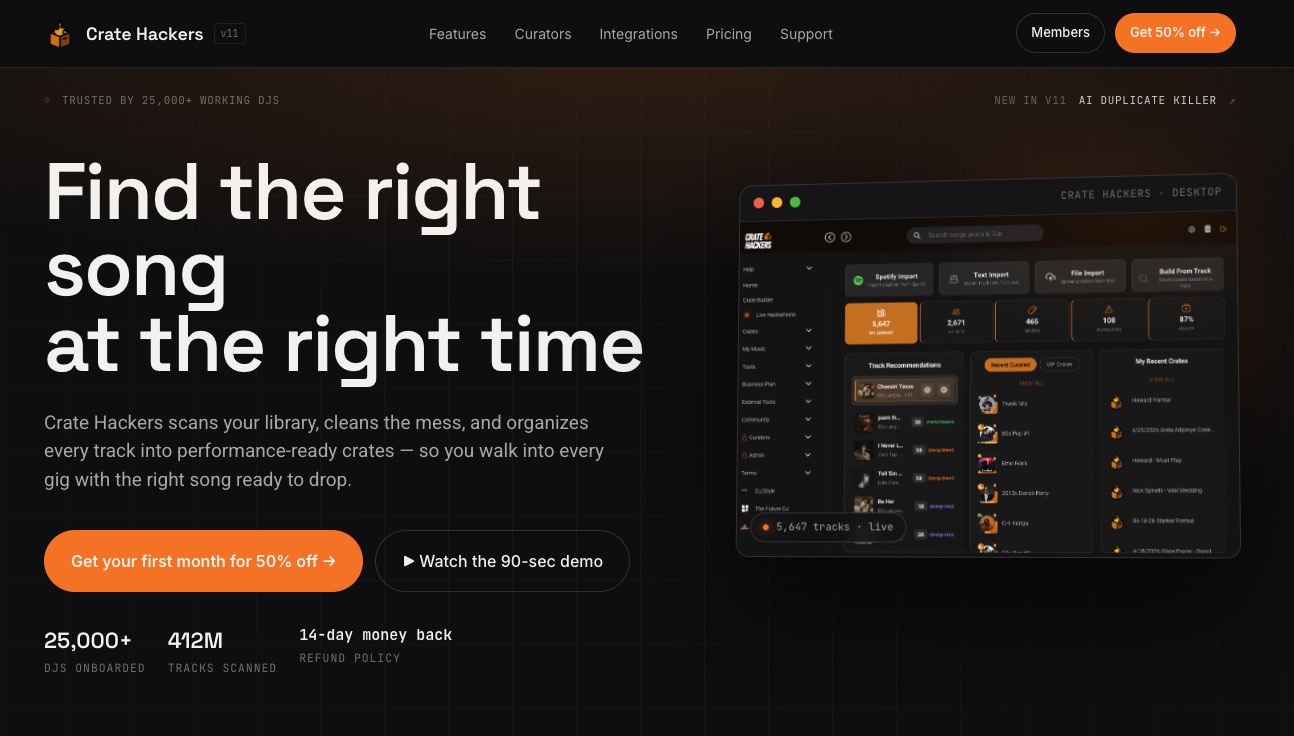
Crate Hackers is built specifically for DJs who want to stop wasting prep time and start performing with confidence. From automated crate building and duplicate detection to streaming playlist matching with Spotify, Apple Music, and Tidal, the platform handles the heavy lifting so you can focus on the music. Export clean, curated crates directly to Serato, Rekordbox, or Virtual DJ with one click. Join a community of working DJs who prep smarter, organize faster, and show up to every gig ready to perform.
Frequently asked questions
Can you transfer Serato crates directly into Rekordbox playlists?
No, Serato and Rekordbox use different systems, so third-party conversion tools are needed, and not all cues and tags always transfer perfectly between platforms.
Why do club DJs prefer Rekordbox over Serato?
Club DJs often use Pioneer CDJs, which work seamlessly with Rekordbox USB export and tagging features. Rekordbox’s Export mode preserves full metadata for CDJ playback, making it the standard for professional club setups worldwide.
Does Serato or Rekordbox run better on older laptops?
Rekordbox uses fewer resources and is generally more stable on older hardware. Rekordbox’s lighter resource load makes it the safer choice when system stability is a concern during live performance.
Which software is best for harmonic mixing?
Serato has a clear edge for harmonic mixing. Secondary column sorting lets you sort by key and then by BPM within that view, a feature Rekordbox currently lacks, making it faster to find compatible tracks in the Camelot wheel system.