
You’re two hours out from a gig. You know exactly what vibe you want to open with. But you’re scrolling. And scrolling. And scrolling. Track names blur together. Folders are a mess. The clock is moving. That panic you feel right before a set? Most of the time, it has nothing to do with skill and everything to do with library chaos. Music library software is the silent backbone that separates DJs who prep with confidence from those who wing it and hope for the best. This article walks you through why it matters, what features to look for, how to integrate it into your workflow, and how to protect your collection long-term.
Table of Contents
- Why organization is the DJ’s secret weapon
- Core features of music library software
- From preparation to performance: integrating workflows
- Cloud vs. local libraries: reliability, risk, and best practices
- What most guides get wrong about DJ library workflows
- Take your DJ library to the next level
- Frequently asked questions
Key Takeaways
| Point | Details |
|---|---|
| Organized libraries matter | Efficient music library organization is essential for quick prep and confident DJ performances. |
| Software features save time | Using crates, playlists, and filters in library apps streamlines set curation and reduces stress. |
| Prep and live tools integrate | Top DJs use a combination of prep and live-performance software for flexibility across gigs. |
| Local backups offer safety | Keeping local copies and backups is still vital, even when using cloud-based systems. |
Why organization is the DJ’s secret weapon
Let’s be real. A disorganized library does not just slow you down. It kills creativity. When you can’t find a track fast, your brain switches from “what should I play next?” to “where did I put it?” That’s a costly mental shift, especially under pressure.
Organizing DJ music is not just a housekeeping task. It’s a performance strategy. Your library is not a folder of files. It’s a living, growing, personalized archive that reflects your taste, your genres, your go-to transitions, and your crowd-reading instincts. Treating it like a random download folder is leaving money and momentum on the table.
Think about what a well-organized library actually gives you:
- Confidence. You know what you have and where it lives. No second-guessing.
- Predictability. You can plan multiple set directions before you even touch a controller.
- Creative flow. When tracks are sorted by mood, energy, key, or BPM, ideas come faster. Your brain stops searching and starts building.
- Speed. Less time scrolling means more time listening, rehearsing, and refining.
As one resource puts it, DJs use dedicated music-library software to turn their tracks into a curated, searchable arsenal that they can rely on when building and rehearsing sets. That word “arsenal” matters. It’s not just storage. It’s weaponized preparation.
“Your library is your instrument. If it’s out of tune, your whole set suffers before the first track drops.”
Experienced DJs know that every great set is built before the DJ ever steps behind a booth. The work happens in the prep phase, and your library is the foundation of all of it.
Core features of music library software
Now that we see the value of organization, let’s unpack the specific tools library software puts at your fingertips.
Not all software is created equal, but most solid library management tools share a common feature set that transforms how you work. Library software speeds up preparation by adding organization features like folders, crates, and playlists, along with fast filtering and metadata-driven sorting, so DJs can quickly find the right tracks.
Here’s how the key features actually work in practice:
-
Crates and playlists. Crates are genre or mood-based collections. Think “Open Set Hip Hop,” “Late Night House,” or “Wedding Requests.” Playlists go one level deeper, letting you sequence tracks in a specific order. Together, they give you both flexibility and structure.
-
Smart filters. Filter by BPM range, key, energy level, date added, or play count. Looking for something around 128 BPM in A minor with high energy? Three clicks. Done. No scrolling.
-
Metadata tagging. This is where the real power lives. Tags like genre, mood, key, BPM, and custom labels let you slice your library any way you need. The more tags you apply, the faster your searches become.
-
Track analysis. Most platforms auto-analyze your tracks on import. BPM, beat grid, key signature, and sometimes energy level get logged automatically. You stop guessing whether two tracks will mix well and start knowing.
-
Duplicate detection. A bloated library is a slow library. Cleaning out duplicates keeps your catalog lean and searchable. Tools that detect near-duplicates (same track, different version or bitrate) save even more time.
| Feature | What it solves | Time saved |
|---|---|---|
| Crates and folders | Track sprawl across genres | High |
| Smart filters | Manual scrolling | Very high |
| Metadata tagging | Poor searchability | High |
| Auto track analysis | Manual BPM/key checking | Medium to high |
| Duplicate detection | Library bloat | Medium |
Pro Tip: Before your next gig, spend 30 minutes applying one new metadata tag to your library. Start with “energy level” rated 1 to 5. After two weeks, you’ll have a filter that pulls your high-energy openers in seconds. It compounds fast.
You can also stay on top of what’s trending by checking resources like trending music charts, then quickly importing and tagging those tracks as you add them. Fresh music tagged immediately beats a backlog of untagged downloads every time.
Want to go deeper on how software reads your files? These music file reading tips walk you through best practices for making sure your software picks up every detail correctly during import.
From preparation to performance: integrating workflows
With feature mastery in mind, it’s crucial to understand when and why you shift between preparation and performance tools.
Here’s something many DJs overlook: prep software and live performance software serve different jobs. Mixing them up creates friction. Using them correctly creates flow.
Prep is where you browse, tag, sort, plan, and build. Live performance is where you react, blend, and execute. They require different mental modes, and they often require different tools. Many DJs use library management for preparation while reserving the live-performance toolchain for the actual show, with some apps positioning themselves specifically as “prep labs” rather than live tools.
Knowing which role each tool plays prevents you from trying to reorganize your library mid-set or from doing deep prep inside software that wasn’t built for it.
| Tool type | Best used for | Export capability |
|---|---|---|
| Library management software | Prep, tagging, crate building | Yes, to live apps |
| Live performance software | Mixing, effects, live reaction | Limited |
| Hybrid tools | Both, with tradeoffs | Varies |
The smart move is to do all your heavy lifting in prep mode, then export clean, organized playlists to your live tool before you leave the house. No surprises at the booth.
Pro Tip: Build a “gig-ready” crate for every event type you play: weddings, clubs, corporate events, private parties. Export a fresh version before each gig. Your live tool becomes a launching pad, not a search engine.
For DJs who also produce or work across multiple creative environments, understanding how to produce music across workflows can help you think about how prep and creation intersect, especially when you’re adding original edits or remixes to your library.
Cloud vs. local libraries: reliability, risk, and best practices
No management strategy is complete without reliability. Let’s examine how professionals safeguard their collections in a connected world.
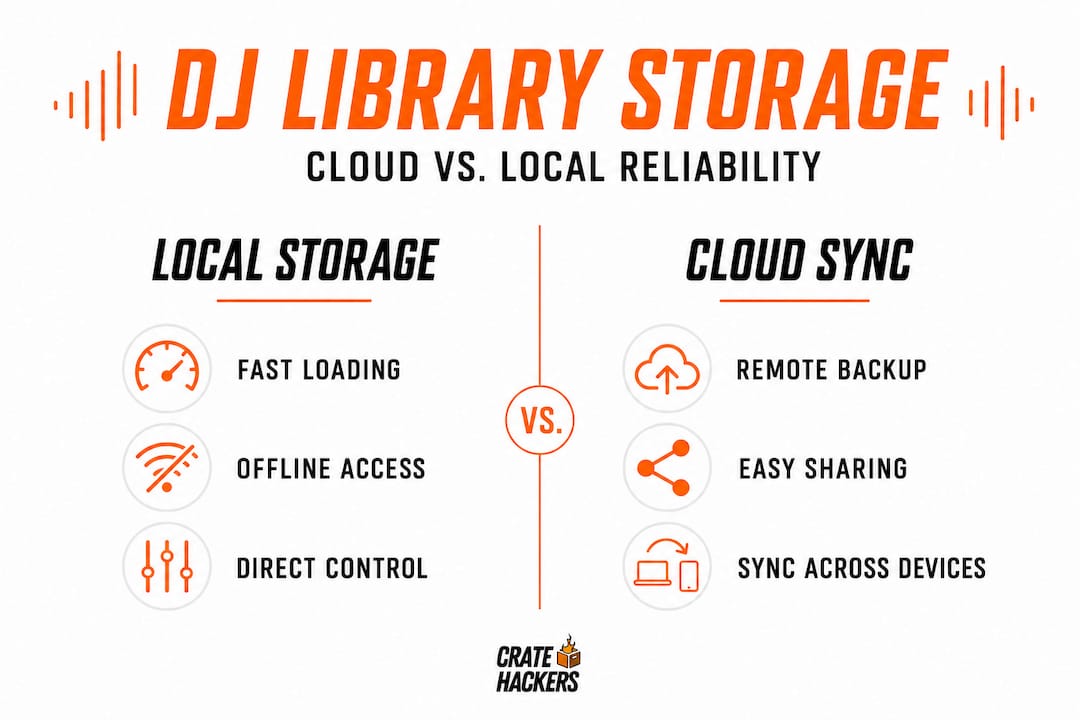
Cloud storage sounds like the answer to everything. Sync once, access anywhere, never lose a file. But the reality for DJs is a little more complicated. Cloud-based approaches may have limitations because they may not sync everything you expect, and reliability can vary, so many DJs treat local library plus backups as a safety strategy.
What you gain with cloud libraries:
- Access from any machine
- Automatic syncing of new downloads
- Protection if your hard drive fails
- Collaboration potential with other DJs or promoters
What you risk:
- Sync errors leaving gaps in your library
- Metadata or playlist structure not transferring correctly
- Internet dependency at the worst possible moment
- Not everything (like software settings or smart playlists) syncing the way you assume
Here’s the practical reality: most working DJs run a hybrid model. Your primary library lives locally, on a fast, dedicated drive. A cloud solution handles off-site backup. And you do a manual backup to a second drive at least once a month.
Think of it like this: your local drive is your front-of-house setup, always reliable, always ready. Your cloud is the backup generator. You never want to need it, but you’re very glad it’s there when things go sideways.
Sound engineers and producers use similar strategies for audio backup and reliability, and the logic carries over perfectly to DJ workflows. Redundancy isn’t paranoia. It’s professionalism.
Pro Tip: Label your backup drives with the date of the last backup using a simple piece of tape. Low-tech, but it prevents the nightmare of grabbing an outdated drive at the last minute and discovering your newest tracks aren’t on it.
Regardless of which storage model you choose, build habits around it. Set a recurring reminder to run your backup. Check that your sync is working. Verify your playlists transferred correctly after any major update. These are five-minute habits that prevent five-hour disasters.
What most guides get wrong about DJ library workflows
Here’s the perspective most articles skip entirely: the “just use one tool” advice that dominates beginner guides is actually one of the biggest risks a working DJ can take.
We get why the advice exists. Simplicity sounds good. Fewer tools, less to learn, less to maintain. But the reality of professional DJing doesn’t work that way. Venues use different setups. You rotate between Rekordbox for one club and Serato for another. A client requests a last-minute playlist you need to export quickly. Your primary software has an update that breaks something the night before a show.
Single-tool dependency is fragile. It’s the DJ version of keeping all your money in one account with no backup card.
The most experienced DJs combine multiple tools for prep and live performance, integrating libraries across platforms to reduce lock-in and maintain flexibility when they switch setups for different gigs. That’s not complexity for its own sake. That’s resilience.
We’ve seen DJs lose entire prepared set structures because they trusted one app to handle everything and that app’s export didn’t translate correctly to the venue’s CDJ setup. One file format mismatch at 10 PM. Panic time.
The future-proofed DJ thinks in systems, not products. Build your workflow so that no single tool failure takes down your whole prep. Tag your metadata in a way that travels across platforms. Export to multiple formats when possible. Keep a portable, clean backup drive that works with whatever setup you walk into.
These library integration tips are a great starting point for making sure your files and tags survive the journey from prep to performance, no matter what software sits in the middle.
The DJs who consistently deliver are not the ones with the fanciest software. They’re the ones with the most reliable systems. Humble, redundant, battle-tested systems.
Take your DJ library to the next level
You’ve done the reading. You know why organization matters, which features to prioritize, how to split your prep and live workflow, and how to protect your collection. Now it’s time to actually build the system.
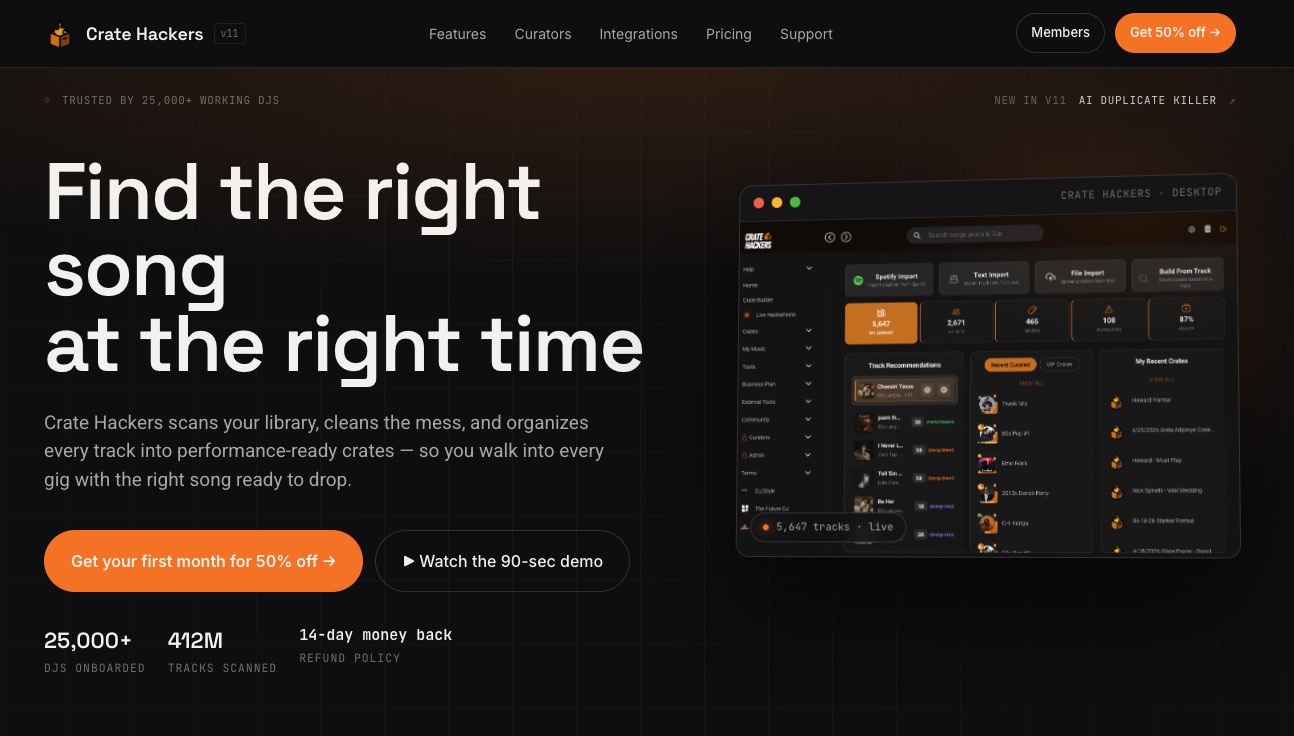
Crate Hackers was built exactly for this moment. It’s a desktop-first platform that works on both macOS and Windows, built to scan massive collections, kill duplicates, match your tracks to Spotify and Apple Music playlists, and export clean crates directly to Serato, Rekordbox, and Virtual DJ. No internet required during the session. No clutter. No guesswork. AI-powered tools handle the heavy lifting so you can focus on the music. Whether you’re prepping for a wedding, a club night, or a festival set, Crate Hackers turns your library from a liability into your biggest competitive advantage. Start building smarter today.
Frequently asked questions
How does music library software handle metadata like BPM and key?
Library software automatically analyzes tracks for BPM, key, and beat grids on import, organizing them for instant searching and faster set prep without manual entry.
Can I use the same music library for both prep and live shows?
Yes. Many platforms let you prep sets and export playlists for live use, creating a seamless handoff from your prep environment to your performance setup.
Is cloud syncing enough to back up my music collection?
Cloud syncing helps, but most working DJs also maintain a local backup because cloud solutions may not cover all software settings or smart playlists.
What’s the main advantage of using library software instead of file browsers?
Library software enables advanced organization, instant searching, and crate building, transforming what the DJ music library is from a simple file folder into a searchable, performance-ready archive.