
TL;DR:
- You can start mixing music at home effectively using free or affordable desktop DJ apps, without expensive hardware.
- Choosing between live performance and studio software depends on whether you want real-time DJ skills or planned, polished mixes.
You don’t need a $2,000 setup to start mixing music at home. That’s the misconception holding a lot of people back. The role of desktop DJ apps for home use has grown massively, and the software available today is more intuitive, more affordable, and more powerful than most beginners expect. Whether you want to mix tracks for fun, build playlists for parties, or actually develop your DJ skills, your laptop is already most of what you need. This guide breaks down how these apps work, what to look for, and how to get started without overcomplicating it.
Table of Contents
- Key takeaways
- The role of desktop DJ apps for home use
- Desktop DJ software features worth knowing
- Setting up your home DJ station
- How to use DJ apps at home effectively
- Comparing popular apps for home DJs
- My honest take on where people go wrong
- Get your music organized with Cratehackers
- FAQ
Key takeaways
| Point | Details |
|---|---|
| Software beats hardware for starters | You can build real DJ skills on a laptop alone before spending anything on gear. |
| Two distinct app types exist | Live performance apps and studio mix builders serve different creative goals at home. |
| Free options are genuinely good | Options like Serato DJ Lite and Mixxx give beginners pro-level tools at no cost. |
| Library organization matters most | A clean, local music collection makes every mixing session faster and more creative. |
| Minimal hardware is enough | A compact two-channel controller covers nearly every home DJ need without overspending. |
The role of desktop DJ apps for home use
Most people picture DJing as a club setup with turntables, mixers, and a wall of speakers. That picture doesn’t match what’s available to you right now on your desktop.
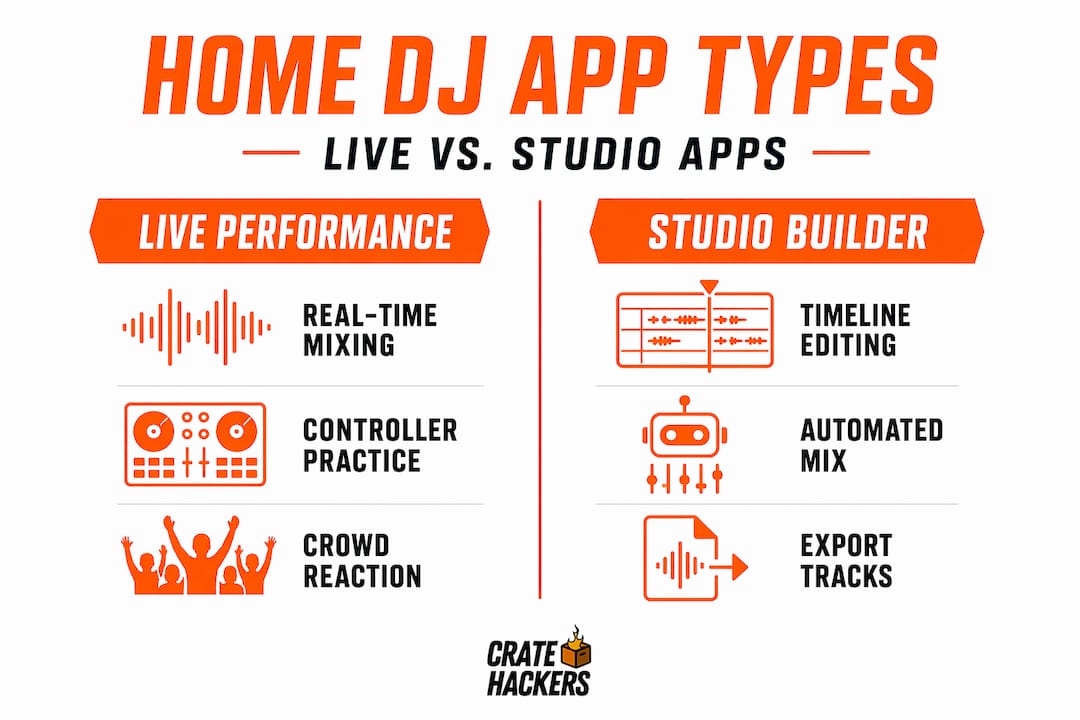
Desktop DJ apps do two very different things. Understanding which category fits your goals saves you from buying the wrong software or getting frustrated early.
Live performance apps are built for real-time mixing. You load tracks, cue them up, blend them together, and react in the moment. Apps in this category are designed around virtual decks, effects, and beat matching. They feel responsive and spontaneous. Popular examples here include Serato DJ Lite and Traktor Pro.
Studio-based mix builders work more like video editing software. You arrange tracks on a timeline, plan your transitions, and build a polished mix from start to finish before exporting it. Studio software can export mixes 10x faster than real time and auto-generates tracklists for online platforms. DJ.Studio is a strong example of this approach.
Here’s the key difference for home users:
- Live apps teach you real-time skills, which transfer directly to performing with hardware later
- Studio apps are better for creating content, recording mixes, and sharing them online
- Live apps have steeper real-time learning curves but reward hands-on practice
- Studio apps offer more forgiving workflows since you can undo and rearrange without pressure
Neither is wrong. A hybrid skillset mastering both types gives you the most flexibility long term.
| App type | Best for | Key strength |
|---|---|---|
| Live performance app | Real-time mixing, controller practice | Spontaneous creativity and hardware integration |
| Studio mix builder | Planned mixes, content creation | Timeline editing and fast export |
Desktop DJ software features worth knowing
Good software doesn’t just play two tracks at once. It helps you learn faster, organize your music, and actually sound better from day one.
Here’s what to look for when evaluating any desktop DJ app for home use:
- Waveform displays: Big, clear waveforms help you see where the beat drops and plan transitions visually. Beginner-friendly UI with big waveforms helps new home DJs learn phrasing and transitions faster than trial and error alone.
- Auto-sync: Automatically matches the BPM between two tracks. It’s not cheating. It’s a tool that lets you focus on learning transitions before you master beatmatching by ear.
- Cue points: Mark specific moments in a track so you can jump to an intro, drop, or breakdown instantly.
- Looping: Repeat a section of a track while you get the next one ready. Essential for buying time when you’re still learning.
- Library management: Good software reads your music files, organizes by BPM, key, and genre, and lets you build playlists fast.
- Hardware compatibility: Even if you start software-only, you want an app that supports controllers later when you’re ready.
The best part? Serato DJ Lite is free and supports over 50 entry-level controllers. Mixxx is open-source and free across all platforms. You do not have to spend anything to get started with real features.
Pro Tip: Before downloading five different apps, pick one and spend two weeks with it. Switching apps constantly resets your muscle memory and slows your progress. Commitment beats variety when you’re starting out.
Home DJ app benefits really come down to one thing: lowering the barrier. You get professional tools, free or cheap, on the hardware you already own. That’s the whole pitch, and it holds up.
Setting up your home DJ station
You don’t need much. Seriously. This is where new DJs tend to overthink things and either overspend or do nothing at all.
Here’s a practical path to a functional home DJ setup:
- Start software-only. Download a free app and spend your first two to four weeks just learning the interface, loading tracks, and practicing basic transitions. Core skills start on software only without spending a dollar on hardware.
- Check your laptop specs. You need at least 8GB of RAM, a modern processor from the last five years, and a USB port. Most current laptops pass this test without upgrades.
- Add headphones. A decent pair of over-ear headphones is your first real purchase. You need to cue tracks in your headphones before mixing them in. Budget $40 to $80 here.
- Consider a compact controller. When you’re ready to go physical, a two-channel controller with built-in sound card costing $250 to $500 covers every home DJ need. Four-channel setups are unnecessary until you’re performing for real audiences.
- Skip the external audio interface at first. USB-powered controllers have built-in sound cards. You don’t need a separate interface until you’re connecting professional speakers or going into a venue mixer.
The order matters. Software first, hardware second. Most people flip this and spend $400 on a controller before they know whether they even enjoy DJing. Don’t do that.
Pro Tip: If you want tactile feedback earlier in your learning, some manufacturers bundle software with affordable controllers. Experts highlight software intuitiveness as the priority over complex hardware, so a simple bundled setup under $300 is a smart first investment.
How to use DJ apps at home effectively
Getting the software open is easy. Using it well takes a system.
The biggest mistake new home DJs make is treating their music library like a dumping ground. You drag in 5,000 tracks, then spend every session scrolling through chaos looking for the right song. That kills momentum fast.
Here’s how to actually use DJ apps at home in a way that builds skills and doesn’t frustrate you:
- Build a local music collection first. Professional DJs avoid using Spotify live due to licensing and performance issues. You need locally stored files for reliability, offline access, and compatibility with DJ software features like cue points and auto-mix.
- Organize before you mix. Sort your tracks into folders or playlists by genre, energy level, or BPM. The software works best when your library is already structured. Good music file organization in DJ software makes every session feel more controlled and creative.
- Set cue points on every track you plan to use. Mark the intro, the main drop, and a safe exit point. This transforms a random collection into a performance-ready toolkit.
- Practice one skill per session. Don’t try to learn beatmatching, transitions, effects, and library management in the same sitting. One session on BPM matching. Next session on EQ transitions. Build the skill stack deliberately.
- Record and listen back. Every app lets you record your mix. Listen back to it the next day. You will hear things you missed in the moment, both good habits and problems to fix.
- Export mixes to share. Once you have a mix you’re proud of, export it as an audio file and share it. Sharing creates accountability and accelerates learning.
Comparing popular apps for home DJs
There’s no single best app for everyone. Your choice depends on what you want to do and how much you want to spend.
| App | Price | Best for | Platform |
|---|---|---|---|
| Serato DJ Lite | Free | Beginners with entry-level controllers | macOS, Windows |
| Mixxx | Free | Software-only practice, open-source fans | macOS, Windows, Linux |
| Rekordbox (free tier) | Free | Pioneer hardware users, library prep | macOS, Windows |
| DJ.Studio | Subscription | Timeline-based mix creation and export | macOS, Windows |
| djay Pro | Subscription | Multi-platform use, streaming integration | macOS, Windows, iOS |
A few things worth knowing about this DJ app comparison for home use:
- Serato DJ Lite and free Rekordbox offer layouts beginners understand quickly, which shortens the learning curve significantly
- DJ.Studio’s timeline tools and non-linear editing make it ideal for radio-style shows, podcasts, or polished recorded mixes built at home
- Mixxx is completely free and cross-platform, making it the best option if you want zero financial commitment
- Subscription apps like djay Pro offer Spotify integration in certain regions, but professional DJs avoid streaming for live use due to latency and licensing limitations
The best DJ software for beginners is whichever one you’ll actually open and use. Start free, stay consistent, and upgrade when the free version genuinely holds you back.
My honest take on where people go wrong
I’ve watched a lot of home DJs stall out before they really get started. And almost every time, it comes down to the same thing. They’re waiting for the gear to catch up with the dream.
They convince themselves that a controller will unlock something the software can’t. That the physical knobs will make them sound professional before they’ve figured out what a phrase transition actually is. So they buy the gear, get overwhelmed without a foundation, and the controller sits on a shelf.
What I’ve found actually works is the opposite. Spend your first month entirely in the software. Learn what a hot cue does. Understand why BPM matters in a mix. Figure out how to organize your library so you can find a track in 10 seconds, not 10 minutes. Foundational concepts like library management are software-centric and fully accessible from a desktop-only setup.
The other mistake I see constantly is ignoring library health. A well-organized, local music library synced with your software features like automix and cue points is what separates a smooth session from a chaotic one. You can’t mix well out of a messy library. Nobody can.
My advice is simple. Open the software tonight. Spend 30 minutes dragging in music you love. Set one cue point on one track. That’s your starting line. Everything else builds from there.
— Dominick
Get your music organized with Cratehackers
You’ve got the software knowledge. Now you need the library to back it up.
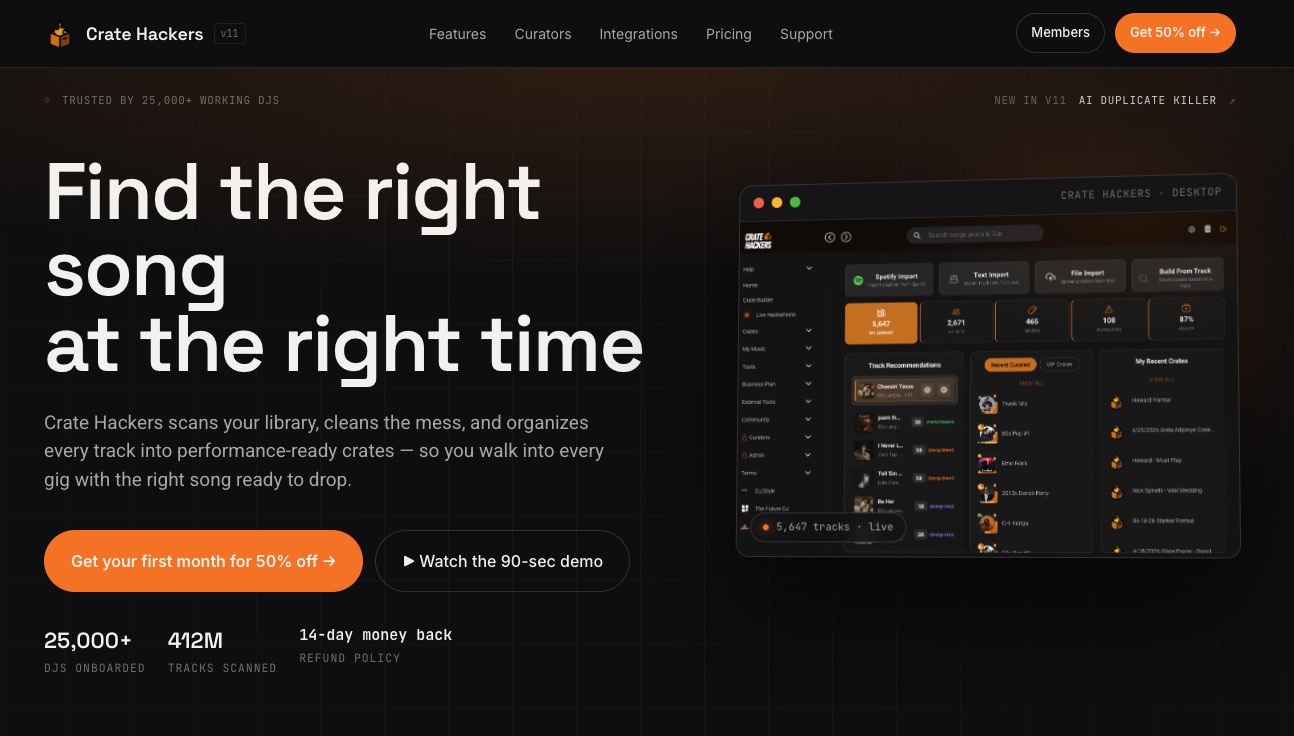
Cratehackers is built for exactly this moment. When you’re ready to take your home DJ setup seriously, you need a music library that works with your software, not against it. Cratehackers scans your local collection, kills duplicates, builds crates automatically, and exports them directly to Serato, Rekordbox, and Virtual DJ. No more scrolling through thousands of unorganized files looking for the right track. Start organizing your DJ music smarter today and turn your desktop setup into a performance-ready system from day one.
FAQ
Can you DJ at home without any hardware?
Yes. Core DJ skills can be learned on software alone, using just your laptop and a free app like Mixxx or Serato DJ Lite. Hardware adds tactile control but is not required to start.
What is the best free DJ software for beginners?
Serato DJ Lite is free and supports over 50 entry-level controllers, making it the top pick for beginners. Mixxx is also completely free and works on macOS, Windows, and Linux.
What’s the difference between a live DJ app and a studio mix builder?
Live apps let you mix tracks in real time, while studio apps use a timeline editor to plan and export polished mixes. Studio apps export mixes significantly faster than real time and auto-generate tracklists for sharing online.
Do I need a music streaming account to use DJ software?
No. A local music library is the most reliable option. Professional DJs avoid streaming services live due to licensing restrictions and performance issues. Download your tracks and store them locally for the best experience.
How much should I spend on a beginner DJ controller?
A two-channel controller with a built-in sound card in the $250 to $500 range covers everything a home DJ needs. Four-channel setups are unnecessary until you’re performing live for real audiences.