
You’re two hours from a gig and your library looks like a yard sale. Tracks everywhere, duplicate files clogging your folders, playlists that don’t sync between your laptop and your backup machine. This is not a rare problem. It’s what happens when you pick a subscription plan based on price alone and ignore how it actually fits your prep workflow. Choosing the right DJ library management subscription is not just about cost. It shapes how fast you build crates, how clean your sets run, and whether you’re confident at the booth or quietly panicking behind the mixer.
Table of Contents
- What to consider when choosing a DJ subscription plan
- Rekordbox Creative plan: Sync, storage, and workflow streamlined
- Serato DJ Lite and Pro: Free vs. paid and library import tools
- Side-by-side comparison: Which plan suits hobbyist DJs best?
- What most comparisons miss: Workflows beat features
- Level up your DJ prep with Crate Hackers
- Frequently asked questions
Key Takeaways
| Point | Details |
|---|---|
| Library prep matters most | Solid file organization prevents problems and maximizes the value of your subscription. |
| Rekordbox excels at cloud sync | Its Creative plan enables seamless backup and device switching for flexible gig preparation. |
| Serato offers free and paid options | Serato DJ Lite is free, while Pro adds advanced library and analysis tools for serious hobbyists. |
| Compare by workflow, not just features | Choose based on which plan saves you the most prep time and fits your music sources. |
What to consider when choosing a DJ subscription plan
Before you commit to any plan, you need a clear framework. Not every DJ needs the same features, and paying for things you will never use is just money out of your pocket.
Here is what actually matters for hobbyist DJs evaluating their options:
- Ease of library import and organization. How quickly can you get your existing tracks into the software? Does the tool help you sort by genre, BPM, or key automatically? A messy import is the fastest way to waste prep time.
- Cost structure. Is it free, subscription-based, or a one-time purchase? Free tools can be powerful. Paid subscriptions often unlock automation that saves hours. Know what you are actually buying.
- Cloud sync and cross-device access. If you DJ on multiple machines or bring a backup laptop to gigs, cloud sync is not a luxury. It is insurance. Check whether the plan covers multi-device access or charges extra.
- Automation and time-saving features. BPM detection, key analysis, auto-tagging, and on-import analysis are the difference between spending 20 minutes or two hours prepping a single set.
- Integrations with your DJ software and hardware. Your plan needs to play nicely with your controller, your DJ software, and your record pool. Friction here costs you real time.
- Duplicate file risks. This is the one most people ignore until it bites them. When library sync breaks on import due to file path changes, you end up with ghost tracks and missing files.
That last point deserves more attention. Importing from third-party music managers like Apple Music or iTunes can introduce serious prep problems. Apple Music and iTunes integration with DJ software can break your library sync if those apps reorganize your media files behind the scenes. Apple Music, in particular, likes to move files when you change settings. That can leave your DJ software pointing to locations that no longer exist.
Pro Tip: Before importing from Apple Music or iTunes, turn off “Copy files to Music Media folder when adding to library” in the app preferences. This one setting prevents a flood of duplicate and missing track headaches later.
Now that you know the decision criteria, let’s look at the specific plans hobbyist DJs evaluate most.
Rekordbox Creative plan: Sync, storage, and workflow streamlined
Rekordbox, made by Pioneer DJ, is one of the most widely used DJ platforms in the world. The Creative plan is their mid-tier subscription, and for hobbyists who gig occasionally and want their library to follow them everywhere, it has some real strengths.
The Rekordbox Creative plan includes Cloud Library Sync, which lets you sync tracks, playlists, Hot Cues, and memory cues across devices using Dropbox. That means the prep work you do at home on your main machine shows up on your backup laptop at the venue without manually copying files or USB drives.
Key strengths of the Creative plan for hobbyist DJs:
- Multi-device workflow. Your analyzed tracks, cue points, and loops sync automatically. No more “I set this up at home but it is not here” panic.
- Gig recovery insurance. If your primary machine dies before a gig, your library data is already backed up and accessible from another device via Dropbox.
- Hot Cue and playlist sync. Not just tracks. Your entire prep, the colors, the markers, the set structure, all of it moves with you.
- iOS device support. You can even access your library from an iOS device, which is genuinely useful for quick track browsing or last-minute set planning backstage.
“Cloud sync is not just a convenience feature. For a DJ who preps on one machine and performs on another, it is the difference between confidence and chaos at the booth.”
There are real things to watch out for, though. The Creative plan requires an active Dropbox account, and Dropbox storage costs money beyond the free tier. If your library is large, you may end up paying for both Rekordbox and additional Dropbox storage. Also, cloud sync depends on a solid internet connection. If you are prepping at a venue with weak Wi-Fi, syncing a large library update could be slow or incomplete.
For DJs serious about organizing your DJ music across multiple machines, the Creative plan is one of the cleaner solutions available. But you need to factor in the full cost and the dependency on a third-party service.

After seeing Rekordbox’s strengths in sync and backup, let’s look at what Serato brings to the table.
Serato DJ Lite and Pro: Free vs. paid and library import tools
Serato takes a different approach to subscriptions. There are two main tiers that hobbyists interact with most: Serato DJ Lite, which is completely free, and Serato DJ Pro, which requires a paid subscription.
Here is how the decision process usually works when evaluating Serato for library management:
- Start with Serato DJ Lite. It is free. If you are a hobbyist just getting started, Lite gives you core mixing functionality with basic library browsing. No cost, no commitment.
- Evaluate what you are missing. Lite lacks features like advanced library organization, FX, and certain integrations. Once you hit those walls, Pro becomes worth considering.
- Upgrade to Serato DJ Pro for automation. Pro unlocks the full library suite, and with the new Serato 4.0 library system, it gets smarter about how it handles incoming tracks.
- Use Analyze on Import. Serato 4.0 introduces automated BPM and KEY analysis the moment you add a new track. No more manual batch analyzing after every record pool download.
- Set up your import settings correctly before touching Apple Music. This is critical. Serato and Apple Music import settings need to be configured carefully to prevent missing or duplicated tracks from appearing in your library.
The Serato 4.0 library update is worth discussing in more detail. For years, DJ library organization inside Serato felt static. The new system makes importing faster and smarter. But like any system, garbage in equals garbage out. If your file folders are a mess before you import, even the best automation cannot fix the chaos.
Pro Tip: Create a clean folder structure on your hard drive before you ever open Serato. Use folders like /Genres/Year/Artist as your base. When Serato reads those file import tips, it organizes faster and makes fewer errors.
The potential downside with Serato for hobbyists is the manual fix required when things go wrong. If Apple Music has quietly reorganized your media library and Serato loses track of file locations, you can spend an hour or more relinking tracks. That is prep time you will never get back.
With key features described, it is time for a side-by-side look at these plans.
Side-by-side comparison: Which plan suits hobbyist DJs best?
Here is the direct feature comparison you need to make a fast, informed decision.
| Feature | Serato DJ Lite | Serato DJ Pro | Rekordbox Creative |
|---|---|---|---|
| Cost | Free | Paid subscription | Paid subscription |
| Cloud library sync | No | No | Yes (via Dropbox) |
| Cross-device support | No | No | Yes |
| Auto BPM/KEY analysis | Basic | Yes (4.0 on import) | Yes |
| Hot Cue sync across devices | No | No | Yes |
| Advanced library tools | Limited | Yes | Yes |
| iOS/mobile access | No | No | Yes |
| Duplicate detection | No | Limited | Limited |
| Export to hardware | Limited | Yes | Yes |
The Serato 4.0 new library system represents a meaningful step forward in how tracks are organized and analyzed. The on-import BPM and KEY analysis alone saves significant prep time for DJs who download large batches from record pools.
Here is how to match a plan to your actual situation:
- You gig with one computer and one USB drive. Serato DJ Pro gives you powerful library tools without paying for cloud features you will not use.
- You gig on multiple machines or want library backups. Rekordbox Creative is designed for exactly this scenario. The cloud sync alone justifies the subscription for traveling DJs.
- You are just starting out and testing the waters. Serato DJ Lite costs nothing. Use it until you outgrow it, then decide which paid option fits.
- You have a large, messy library. Neither Serato nor Rekordbox solves file-level chaos on their own. You need a dedicated library cleaning tool alongside your DJ software subscription.
One underrated truth: the plan that saves you the most time in prep is the best plan for you, not necessarily the one with the longest feature list.
What most comparisons miss: Workflows beat features
Here is the take that most plan comparisons skip over entirely. Features do not save you time. Workflows do.
You can have the best cloud sync, the fastest BPM analyzer, and the cleanest interface in the world. But if your file folders are chaotic, if you let duplicates stack up for months, if you never actually clean your library between gigs, no subscription plan will rescue you when it counts.
The DJs who prep fast and gig confidently share one habit: they treat their library like a clean kitchen. Everything has a place. Dishes get put away after every use. They never spend 10 minutes searching for a track mid-set because they know exactly where it lives.
Sync and analysis tools amplify whatever workflow you already have. That is both the promise and the warning. A good workflow plus good tools equals serious speed. A messy workflow plus expensive tools equals expensive mess.
The advice that gets ignored most often is this: spend as much time setting up your library structure as you spend learning to mix. Many hobbyists invest dozens of hours learning to beatmatch but spend zero time building a sensible folder structure or removing duplicate files. That imbalance shows up every time they prep for a gig.
Start with real-world DJ organization advice before you invest in any subscription plan. Get your foundation right first. Then pick the subscription that best amplifies the clean system you have built.
The bottom line is simple. Prioritize what smooths your prep workflow. Not what adds the most features to a messy one.
Level up your DJ prep with Crate Hackers
You now know what to look for in a subscription plan and how each major option performs for hobbyist workflows. But picking a plan is only one piece of the puzzle.
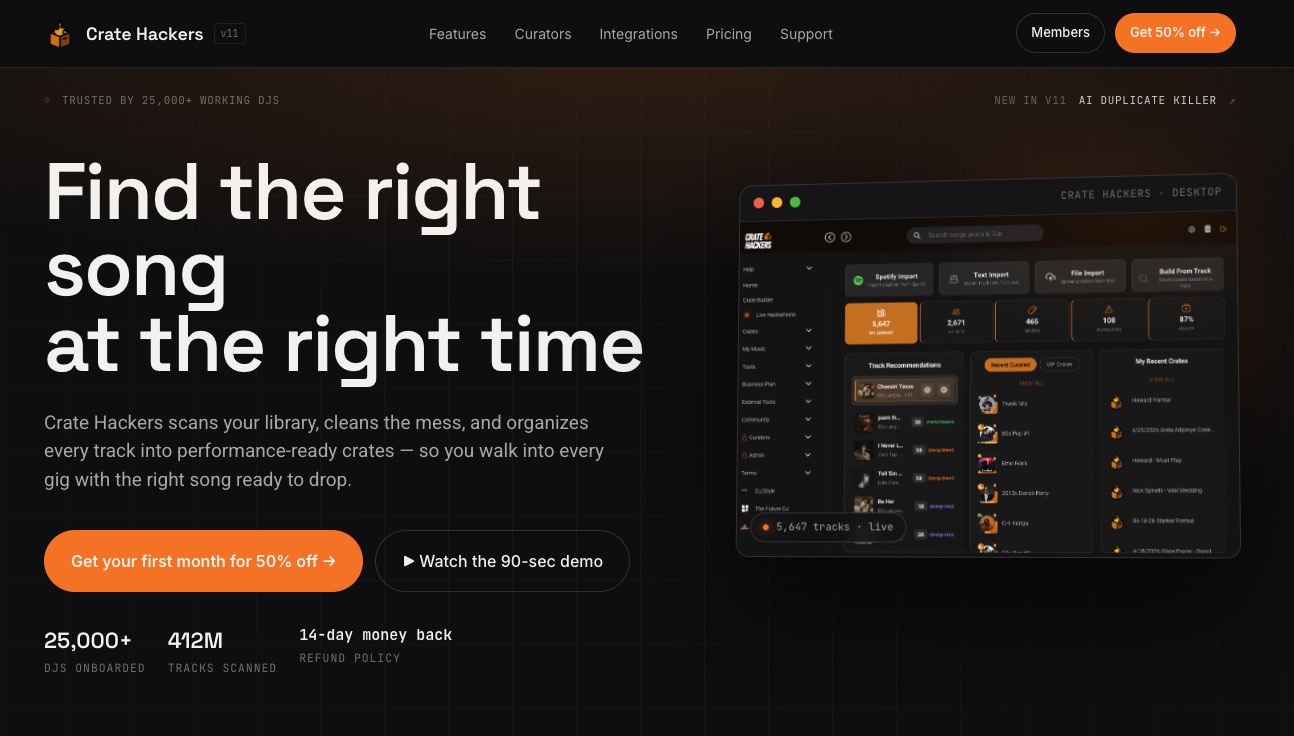
The DJs who consistently show up ready have one thing in common: they use dedicated tools built specifically for library prep. Crate Hackers gives you automated crate building, AI-powered duplicate detection, streaming playlist matching, and direct export to Serato, Rekordbox, and Virtual DJ, all in one offline-capable desktop app. No more manual scrolling. No more duplicate panic. Just a clean, performance-ready library waiting for you before every gig. Pair the right subscription plan with a smarter library organization workflow and your prep time shrinks dramatically.
Frequently asked questions
Do I need a cloud subscription as a hobbyist DJ?
Cloud plans like Rekordbox Creative offer real value for DJs working across multiple machines, but if you only work on one computer, a local-only option is perfectly capable and saves you money.
Why does my DJ software show duplicate or missing tracks?
Incorrectly configured Apple Music and iTunes import settings are the most common culprit. When Apple Music reorganizes your media folder, your DJ software loses track of file locations and shows them as missing or creates duplicates.
What is unique about Serato’s new library in 2026?
The Serato 4.0 library system introduces automated BPM and KEY analysis when you import new tracks, which is a significant time-saver for DJs downloading large batches from record pools regularly.
Can you switch from one DJ subscription to another easily?
Switching is technically possible, but library sync can break when file paths change during migration, so expect to do some folder cleanup and track relinking before your library is fully functional in the new platform.