
Most DJs think all-in-one software is a beginner’s shortcut. A single app to do everything? Must be watered-down. Must be for the hobbyist who plays birthday parties twice a year. That thinking is wrong, and it’s costing serious working DJs hours of wasted prep time every single week. The truth is that today’s top professionals use integrated platforms precisely because their libraries are massive, their gigs are diverse, and the margin for error is zero.
Table of Contents
- Defining all-in-one DJ software solutions
- Key benefits for professional and mobile DJs
- Core components and workflow features compared
- Real-world applications: DJs and events
- Choosing the right solution for your workflow
- The overlooked reality: why simplicity wins for serious DJs
- Streamline your DJ workflow with Crate Hackers
- Frequently asked questions
Key Takeaways
| Point | Details |
|---|---|
| True all-in-one solution | All-in-one DJ software centralizes music library management, cue points, and device syncing. |
| Benefits for gig prep | Using one platform cuts errors, saves time, and ensures consistency across performances. |
| Feature comparison critical | Comparing core components is key to selecting the right software for your style. |
| Real-world impact | Unified workflows lead to smoother live events and better audience experiences. |
| Choose for your needs | Evaluate your music library, hardware, and gig type before picking a solution. |
Defining all-in-one DJ software solutions
With the misconception out of the way, let’s break down exactly what qualifies as an all-in-one DJ software solution.
An all-in-one DJ software solution is a single integrated platform that handles every stage of your music workflow. We’re talking library management, playlist building, file analysis, cue point storage, metadata editing, and device syncing, all inside one interface. You don’t jump between five apps. You stay in one lane and move fast.
DJ software features explained clarifies this well: all-in-one DJ software centralizes library, cue point, playlist, and device management for DJs. That’s the core definition. Everything connected. Nothing siloed.
Here’s what a real all-in-one solution covers:
- Music library management: Scan folders, organize tracks, and tag metadata without switching apps
- Smart crate and playlist building: Auto-generate crates by genre, BPM, key, or custom rules
- File analysis: Detect BPM, key, and waveform data at scale
- Cue point management: Store and recall hot cues across all your sets
- Streaming integration: Match your library against Spotify, Apple Music, or Tidal playlists
- Hardware and device syncing: Export directly to your DJ hardware or preferred DJ software
- Duplicate detection: Identify and remove redundant files that bloat your library
Single-purpose apps only solve one of those problems. A basic library organizer can’t export to hardware. A duplicate finder can’t build crates. When you’re running four separate tools, you’re burning time and multiplying the chance something breaks right before a gig. That’s chaos. All-in-one solutions kill that chaos before it starts.
Learning how to properly organize DJ music is where the foundation gets built. Once that foundation is clean, an all-in-one platform can do its best work on top of it.
Pro Tip: Don’t evaluate software by its feature list alone. Watch how fast you can get from a raw folder of new music to a fully prepped, exported crate. That speed is your real metric.
Key benefits for professional and mobile DJs
Now that you understand what an all-in-one DJ platform includes, let’s look at why professionals and mobile DJs rely on them to stay competitive.
Working DJs don’t have time to build elaborate multi-app rigs. You have gigs back to back. You have clients requesting songs the morning of the event. You have 50,000 tracks and need the right one in under ten seconds. All-in-one software solves those pressure points directly.
Here’s how the benefits play out in real scenarios:
-
Faster set turnaround: When your library is organized, analyzed, and crate-ready inside one app, building a new set takes minutes instead of hours. Centralized music prep means fewer mistakes and faster set turnaround, especially when you’re juggling multiple events in a week.
-
Fewer errors on the night: Missing cue points, wrong BPM data, broken file paths. These are the gremlins that kill a set. One platform with a single source of truth eliminates most of those issues before you’re standing behind the decks.
-
Easier prep for different venue types: A club set and a wedding reception require completely different energy and song selection. With smart crate tools built into your platform, you can switch contexts without rebuilding your entire library from scratch.
-
Consistent sound and metadata quality: When all your tracks run through the same analysis engine, your BPM values, key data, and gain levels are consistent. That matters when you’re mixing on the fly and relying on your software to be accurate.
-
Better client service: Mobile DJs especially know the pressure of client song requests. When your library is centralized and searchable, finding a specific track in real time is effortless instead of a panic scroll through folders.
“Working DJs who centralize their prep workflow report dramatically faster set builds and significantly fewer technical issues during live performances.”
Regular gigging DJs using all-in-one platforms can realistically save five to ten hours per month compared to fragmented multi-app setups. Over a year, that’s an extra week of your life back. For advice on making your files perform reliably inside any platform, check out these pro DJ software file reading tips.
The bottom line: less friction between inspiration and execution means better performances. Period.
Core components and workflow features compared
Understanding the benefits, the next step is identifying which core features matter most and how leading solutions stack up.
Not every platform delivers equally on every feature. Some are built for live performance. Others prioritize library management. The best all-in-one solutions do both without compromise. Industry-leading software offers track detection, smart crates, and seamless hardware integration, which is the gold standard to measure against.
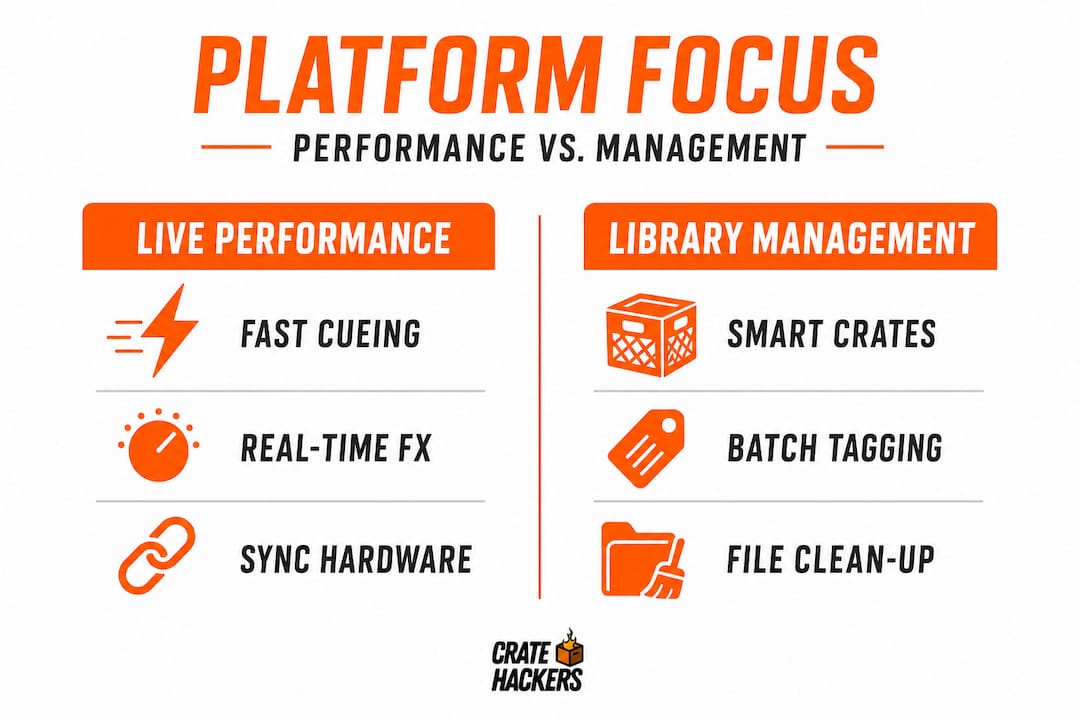
Here’s a comparison of core features across DJ workflow needs:
| Feature | Basic platforms | Mid-tier platforms | Full all-in-one solutions |
|---|---|---|---|
| Library scanning | Manual only | Semi-automated | Fully automated with smart rules |
| Duplicate detection | None or basic | File-name matching | AI-powered content matching |
| Streaming integration | None | Limited | Spotify, Apple Music, Tidal |
| Cue point management | Basic | Multi-point | Synced across exports |
| Hardware export | One format | Two to three formats | Multi-platform (Serato, Rekordbox, VDJ) |
| Smart crate building | No | Basic filters | Rule-based and AI-assisted |
| Offline capability | Yes | Yes | Yes, with full feature parity |
A smart workflow inside a full all-in-one solution looks like this: you import a batch of new tracks, the platform auto-analyzes BPM and key, flags duplicates, suggests crate placements, and allows you to export the finished crates directly to your hardware in one session. No switching apps. No reformatting files. No re-entering metadata you already entered somewhere else.
Must-have features for any modern DJ platform:
- Auto-analysis for BPM, key, and energy level
- Smart crate and playlist generation with custom filters
- Duplicate detection with content-level accuracy (not just file name)
- Streaming playlist matching against your local library
- Export compatibility with major DJ software formats
- Offline operation on both macOS and Windows
For a deeper look at keeping your files performing cleanly, revisit organizing DJ music on PC. A clean foundation makes every other feature inside your platform work better.
Real-world applications: DJs and events
After understanding how features differ, the most relevant perspective is how they impact real gig preparation and event success.
Let’s get specific. Three different DJs. Three different challenges. One consistent solution.
The club resident DJ plays every Friday and needs to stay current. New tracks drop weekly. Their library is close to 80,000 files. Without a smart crate system, prepping each set means manually sifting through a mountain of music. With an all-in-one platform, new drops get scanned, analyzed, and dropped into the right crates automatically. Friday prep takes 45 minutes instead of half a day.
The wedding and event DJ faces a different challenge. Clients send Spotify playlists. The DJ needs to match those requests against their local library, fill gaps, and build a timeline-based set. DJs rely on centralized playlists and performance analytics for flawless event execution. A platform with streaming integration closes that loop without guesswork. The DJ imports the client’s playlist link, sees exactly which tracks they own, and knows what they still need to source.
The touring mobile DJ bounces between corporate events, school dances, and private parties every week. Each event is a different vibe, a different age group, a different set of expectations. Their all-in-one platform holds categorized crates for every scenario. When a new booking comes in, they pull the right crate, adjust a few tracks, and export to their controller. Done.
Here’s a practical checklist for prepping any event with an all-in-one platform:
- Import and scan all new music since your last session
- Run duplicate detection and clean out redundant files
- Check BPM and key analysis for any new tracks
- Match client-provided playlists against your local library
- Build or update your event-specific crate using smart filters
- Review and adjust the crate manually for flow and energy arc
- Export finalized crates to your DJ software or hardware
- Back up your library and settings to an external drive or cloud
That last step matters more than people think.
Pro Tip: Back up your entire library, crate structure, and software settings before every major gig. Hardware fails. Laptops get damaged. A clean backup means a crash is an inconvenience, not a catastrophe.
For more tips on delivering flawlessly at events, these performance tips for weddings are worth reading before your next big booking.
Choosing the right solution for your workflow
To put all the above into action, here’s a step-by-step process for making the right choice.
There’s no universal best platform. The right choice depends on your specific setup, your typical events, and your preferred hardware. Trying to force the wrong tool onto your workflow creates more friction, not less.
Use this process to narrow it down:
- Define your primary use case. Are you a club DJ, a mobile event DJ, or both? Your primary context shapes everything.
- List your hardware. What controllers or CDJs are you running? Confirm your platform exports to compatible formats.
- Assess your library size. Larger libraries need stronger scanning and duplicate detection capabilities. Don’t underestimate this.
- Identify your streaming needs. Do your clients send Spotify or Apple Music playlists? Streaming integration becomes essential if they do.
- Check OS compatibility. Confirm the platform runs on your Mac or Windows machine and maintains full feature parity offline.
- Test before committing. Run a demo version on a small, real event. Not a theoretical test. An actual gig, even a low-stakes one.
Before you commit to any platform, ask yourself these questions:
- Does it export to the DJ software I already use?
- How does it handle 50,000 plus tracks without slowing down?
- Can it match streaming playlists against my local library?
- Does it have a reliable duplicate detection system?
- Is it actively updated with new features and bug fixes?
- What does the support and community look like?
Tailoring your DJ software selection to your music style, set complexity, and preferred hardware is the smart starting point. For a more granular look at how your files should behave inside any platform, revisit music file reading for DJs before making a final decision.
The goal is a platform you can trust so deeply that it disappears into your workflow. You stop thinking about the tool and start thinking about the music.
The overlooked reality: why simplicity wins for serious DJs
Beyond features, it’s worth rethinking how these solutions actually change the way you work and perform.
Here’s the uncomfortable truth: many experienced DJs resist all-in-one platforms because they feel like giving up control. They’ve built complex multi-app rigs over years. They know every quirk of every tool. Switching feels like starting over.
But that rig is not a feature. It’s a liability.
When you’re running three or four apps to manage your music, every update to any one of them is a potential breakage point. Every integration between tools is a potential failure. And when something goes wrong at 11pm on a Saturday with 300 people on the floor, you don’t have time to debug a workflow. You need one system that works.
The DJs who stick with fragmented setups often do so because they confuse complexity with capability. More apps feels like more power. But real power in a DJ workflow is speed, reliability, and consistency. An all-in-one platform delivers all three.
There’s also a creative argument here. When your prep is fast and reliable, you spend less mental energy on logistics and more on music. You can organize your music for performance in a way that actually reflects your artistic vision, not just what was easiest to file away. Your crates become smarter. Your sets become more intentional.
Mastering one system deeply will always outperform shallow mastery of five systems. That’s true in almost every profession. DJing is no different.
Pro Tip: Before your next big gig, run a full rehearsal set using only your all-in-one platform. No backup apps. No workarounds. Learn where the friction points are in a low-stakes environment so you can solve them before the crowd arrives.
Streamline your DJ workflow with Crate Hackers
If everything above resonates, you already know what the next step looks like: stop patching together multiple tools and start working from one clean, fast system.
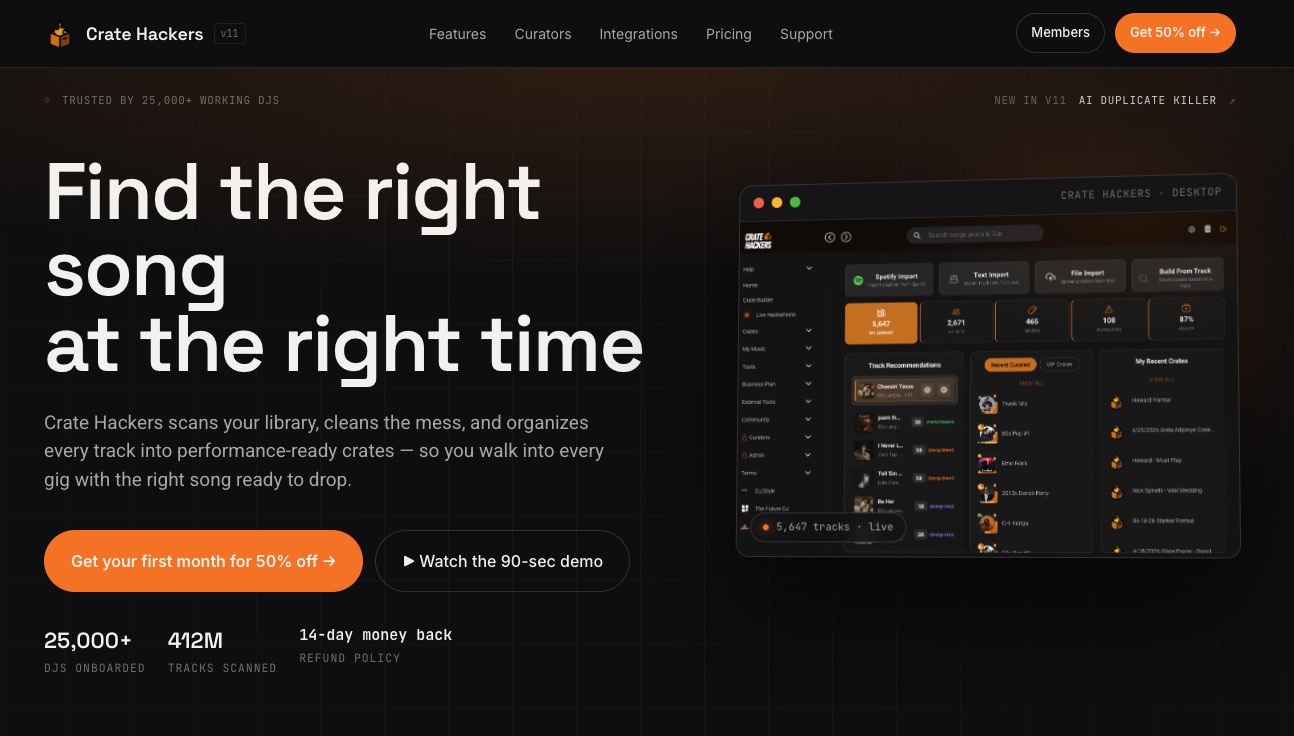
Crate Hackers is built exactly for what we’ve been talking about throughout this guide. It scans large libraries automatically, kills duplicates with AI precision, matches your local tracks against streaming playlists from Spotify, Apple Music, and Tidal, and exports finished crates directly to Serato, Rekordbox, and Virtual DJ. It runs offline on both macOS and Windows. And it’s designed by people who actually understand the pressure of a working DJ’s schedule.
If your current prep is costing you hours you don’t have, Crate Hackers is worth ten minutes of your time to explore. Your next gig prep session could look completely different.
Frequently asked questions
What makes DJ all-in-one software different from standard music library tools?
All-in-one DJ software centralizes library management, cue points, playlisting, and device syncing in one platform, going far beyond what basic library organizers offer.
Will using all-in-one DJ software save me time on gig prep?
Yes, centralized music prep reduces mistakes and speeds up set turnaround, especially when you’re handling multiple gigs in a short window.
Can these platforms handle large music libraries?
Absolutely. Industry-leading software offers track detection, smart crates, and seamless hardware integration, all optimized for large and complex collections.
Do I need special hardware to use all-in-one DJ software?
No special hardware is required. Most platforms including Crate Hackers work with standard DJ controllers and computers, making integration straightforward for most professionals.
How do I choose the best all-in-one DJ software for my needs?
Tailor your selection to your music style, set complexity, and hardware, then test a real option on a low-stakes gig before committing fully.