
TL;DR:
- A personal DJ library requires disciplined intake, regular maintenance, and layered storage to grow sustainably. Tagging tracks immediately upon addition and maintaining a structured workflow prevent backlog and disorganization. Using layered systems like active core, plugin packs, and cold storage helps manage large libraries efficiently and preserve valuable metadata.
A personal DJ library is a living collection that either grows with intention or collapses under its own weight. How personal DJ libraries grow over time is not a passive process. It requires disciplined intake habits, consistent maintenance, and an organizational structure that scales with your career. Tools like Rekordbox, Serato, and DJ record pools all feed into this evolution. Without a system, every new track you add makes the next gig harder to prep for, not easier.
How personal DJ libraries grow over time: intake is everything
The single highest-leverage moment in library growth is the second a new track enters your collection. Get it right there, and everything downstream gets easier. Miss it, and you are building a backlog that compounds fast.

DJ Will Gill’s approach is the clearest model out there. He recommends a non-negotiable intake process where every track gets analyzed and tagged before it touches the main library. That means auto-BPM, key detection, genre assignment, and an energy level tag. The whole process takes 60 to 90 seconds per track. That is not a lot of time per song. But it is the difference between a library you can navigate at 11 PM on a Saturday and one that sends you into a panic scroll.
The math on neglect is brutal. Skip tagging on 10 tracks today. Do it again tomorrow. Within a month, you have a growing pile of untagged files sitting in a folder called “New Music” that you are afraid to touch. Disorganization accelerates when tracks enter without metadata or correct placement. The problem is not the tracks themselves. It is the absence of a gate.
Here is the intake process that actually holds up at scale:
- Drop the track into a staging folder before it touches any crate or playlist.
- Run auto-analysis in Rekordbox or Serato to capture BPM and key automatically.
- Assign genre, sub-genre, and energy level tags manually. This takes 20 to 30 seconds and pays off every time you build a set.
- Place the track into the correct crate or folder. No orphan files.
- Flag it for review if you are unsure about placement. A “needs review” tag beats a wrong placement every time.
Cross-platform metadata is a real complication here. A 2026 metadata study found BPM agreement between Rekordbox and Serato at only 89.5%, with systematic differences tied to specific genres. That means if you switch software or work across platforms, your smart crates can break silently. Audit your metadata every time you make a platform change.
Pro Tip: Set up a “Staging” crate in your DJ software. Nothing leaves staging without a BPM, key, genre, and energy tag. Treat it like airport security. No track gets through unscreened.
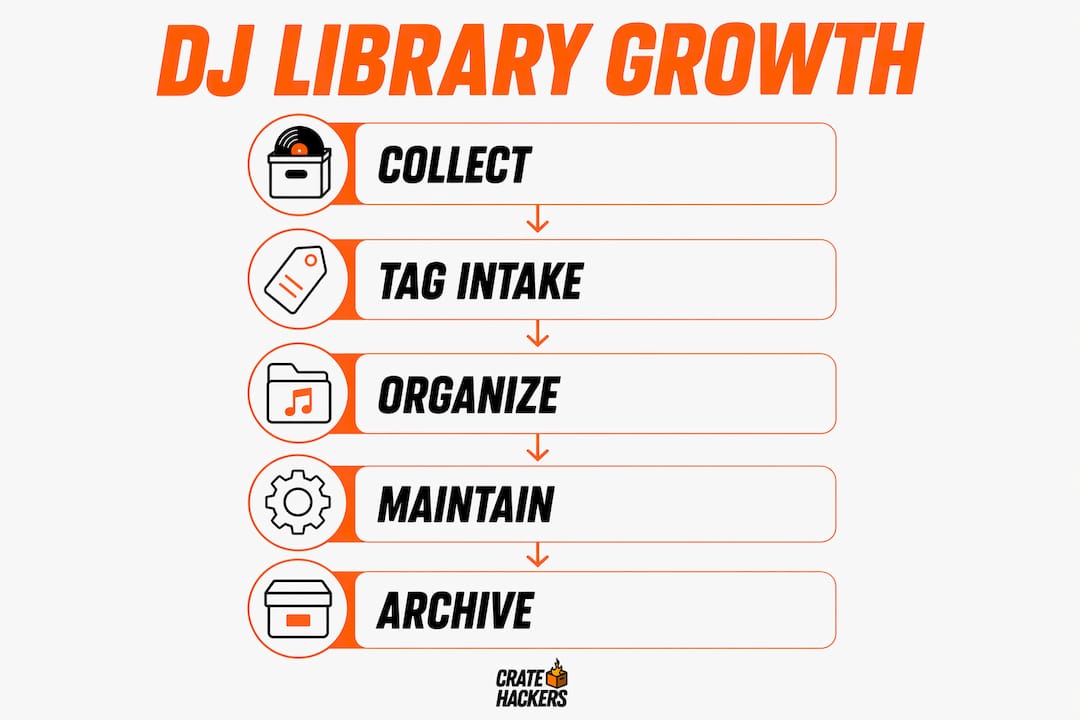
How do DJs maintain and manage growing libraries over time?
Intake discipline gets your library started right. Maintenance keeps it from rotting. Most DJs skip maintenance entirely until the library becomes unusable. By then, the cleanup job feels impossible.
The fix is not a massive annual overhaul. It is small, regular sessions that stay manageable. DJ Will Gill recommends scheduling a weekly 30-minute block to discover, evaluate, and add new tracks. Thirty minutes. That is one episode of a podcast. This cadence keeps your library culturally current and prevents the pile-up that kills motivation.
For cleanup specifically, Chris M’s time-windowed approach is the smartest method available. Instead of staring at 40,000 tracks and feeling paralyzed, you work in bounded date ranges. Sort by “date added,” isolate the last 30 days, and clean only that window. When it is done, it is done. Then move to the 60 to 31 day window. This method makes library maintenance finishable at any library size, even tens of thousands of tracks.
Here is a maintenance rhythm that works for most working DJs:
- Weekly: 30-minute discovery and intake session. New tracks get staged and tagged before anything else.
- Monthly: Review the last 30 days of additions. Fix any tags that were rushed. Move anything that landed in the wrong crate.
- Quarterly: Run a duplicate scan. Use tools like Serato’s Smart Deduplication to surface duplicate files and keep only the highest-quality version. A library with 200 duplicate tracks is a library with 200 speed bumps.
- Annually: Audit your folder and crate structure. Does it still reflect how you actually play? If your career has shifted from club nights to weddings, your folders should reflect that.
Pro Tip: Never delete a track you have played live. Archive it instead. You will want it again, and the prep data attached to it, like cue points and loops, is worth preserving.
Comparing library organization approaches: active crates, holding crates, and layered storage
Not all organizational frameworks are built the same. The right model depends on how large your library is, how often you play, and how many different event types you cover.
DJ Jazzy Jeff’s approach is one of the most cited in the DJ community. He uses event folders and a holding crate in Serato to keep his active library clean. Seasonal music, holiday tracks, and niche event material live in the holding crate until they are needed. When a holiday gig comes up, he activates the relevant folder. When it passes, it goes back. The active library stays lean and fast to navigate.
Chris M takes this further with a three-layer storage model. This is the framework that scales best for large, multi-genre libraries.
| Layer | What lives here | When you access it |
|---|---|---|
| Active core | Your most-played tracks across all regular gigs | Every session |
| Plugin pack | Mid-frequency tracks for specific vibes or event types | When the gig calls for it |
| Cold storage | Rare, archived, or seasonal tracks with full prep data | Occasionally, on demand |
The three-layer model optimizes retrieval speed by keeping your active core small and fast. You are not scrolling past 8,000 tracks to find the one you need. You are working from a focused, curated set and pulling from deeper layers only when the gig demands it.
Archiving is not deleting. This distinction matters. Archiving preserves prep data including cue points, loops, and energy tags, and lets you reactivate a niche set in minutes. Deleting destroys that work permanently. When you are building a personal DJ library for the long term, cold storage is your insurance policy.
For tips on how active crates and seasonal folders work inside DJ software, the technical side is worth understanding before you build your structure.
What folder and tagging strategies help DJs scale their libraries?
Your folder structure should reflect how you actually play, not how a record store organizes its shelves. This is the insight from Digital DJ Tips and DJ Jazzy Jeff’s system. Genre organization must suit your real workflow, not abstract categories you borrowed from someone else.
A DJ who plays mostly corporate events needs folders built around energy arc and formality. A club DJ needs folders built around genre, sub-genre, and BPM range. A mobile DJ covering weddings, birthdays, and bar mitzvahs needs event-type folders with energy sub-folders inside each one.
Here are the folder and tagging approaches that hold up at scale:
- Genre plus energy: Top-level folders by genre (Hip-Hop, House, R&B, Latin), with sub-folders for energy level (High, Mid, Low). Fast to navigate mid-set.
- Era-based folders: Decade folders (90s, 2000s, 2010s, Current) work well for DJs who play throwback sets or multi-era events.
- Event-specific folders: Wedding Ceremony, Wedding Reception, Corporate Cocktail Hour, Club Night. These folders mirror your actual gig types and make set prep faster.
- Seasonal folders: Holiday music, summer anthems, and festival tracks live here. Activate them when relevant, archive them when not.
Metadata tags should layer on top of folder structure, not replace it. Use custom tags in Rekordbox or Serato for fields like “Crowd Energy,” “Explicit/Clean,” and “Opener/Closer.” These tags let you build smart playlists that pull tracks dynamically based on multiple criteria at once.
Internal consistency is the rule that holds everything together. If you tag one track as “Hip-Hop” and another as “Hip Hop” without the hyphen, your smart crates will split them into two separate buckets. Pick a naming convention on day one and never deviate from it.
Key takeaways
A personal DJ library grows sustainably only when intake discipline, regular maintenance, and a layered storage structure work together from the start.
| Point | Details |
|---|---|
| Intake is the highest-leverage moment | Tag every track with BPM, key, genre, and energy before it enters your main library. |
| Weekly maintenance beats annual overhauls | A 30-minute weekly session keeps your library current and prevents unmanageable backlogs. |
| Layered storage scales with your career | Separate active core, plugin packs, and cold storage to keep navigation fast at any library size. |
| Archive instead of delete | Cold storage preserves cue points and prep data for tracks you will need again. |
| Consistency in naming prevents broken crates | One naming convention across all tags and folders keeps smart crates accurate and reliable. |
The discipline nobody talks about
Here is what I have seen over and over: DJs spend hours debating which software to use and zero hours building an intake habit. The software does not matter nearly as much as what you do the moment a track arrives.
The DJs with the cleanest, most usable libraries are not the ones with the best tools. They are the ones who treat every new track like a new employee. You orient it, you give it a role, and you put it where it belongs before it wanders off and causes problems. That 60 to 90 second intake window is not a chore. It is the entire game.
I have also seen the opposite. A DJ with 80,000 tracks who cannot find anything. Every gig is a stress spiral because the library is a graveyard of untagged files. The fix is not a new app. It is the habit of tagging at intake, running a monthly cleanup, and archiving instead of hoarding.
Start small. Build one folder structure that reflects your actual gig types. Tag 10 tracks tonight with full metadata. Do it again tomorrow. Within 30 days, you will have a library that feels like a tool instead of a burden. That is the shift that separates DJs who prep confidently from the ones who panic scroll at midnight.
— Dominick
Take control of your growing library with Cratehackers
Building a personal DJ library that grows without falling apart takes the right habits and the right tools working together.
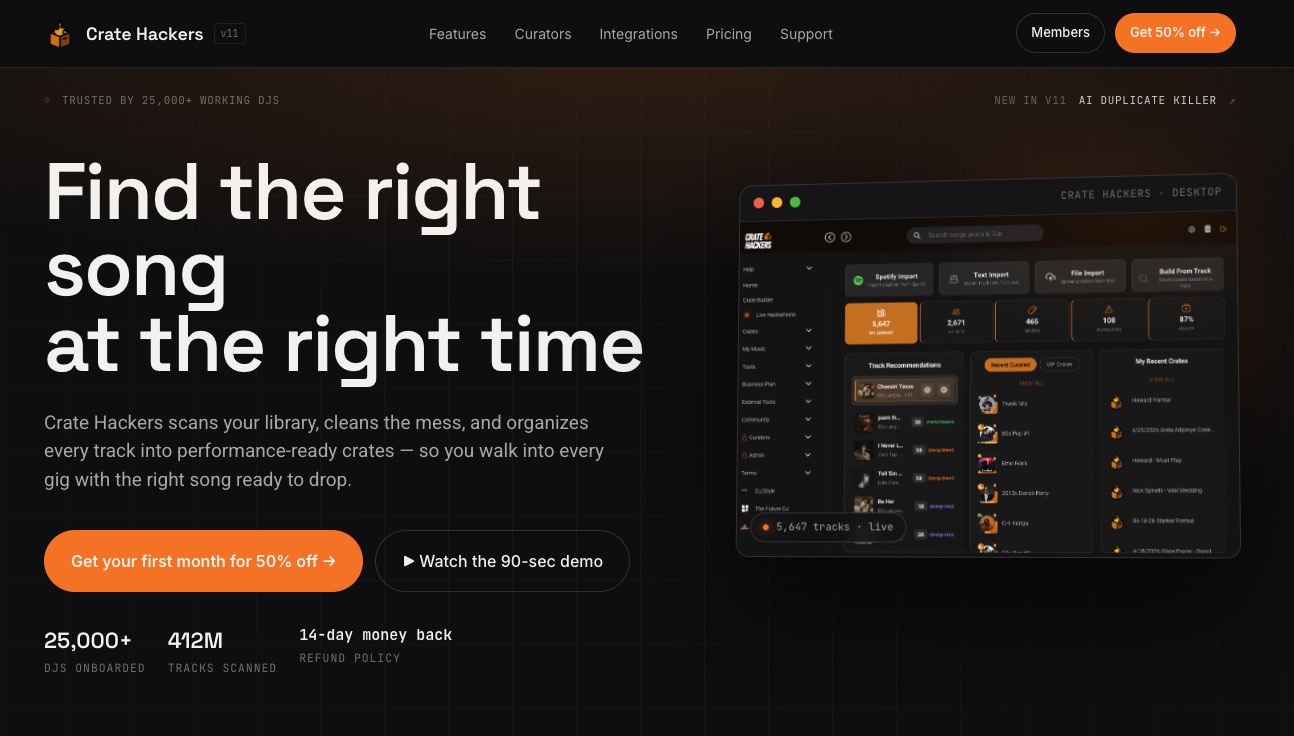
Cratehackers is built for exactly this. The platform scans and organizes your local collection, kills duplicates with its AI-powered Duplicate Killer, and matches your tracks against Spotify, Apple Music, and Tidal playlists. You can export clean, ready-to-play crates directly to Serato, Rekordbox, or Virtual DJ in minutes. Whether you are starting fresh or cleaning up years of accumulated chaos, Cratehackers gives you the speed and structure to prep faster and play with confidence. Stop scrolling. Start finding.
FAQ
How often should a DJ add new music to their library?
DJ Will Gill recommends a weekly 30-minute discovery session to evaluate and add new tracks. This cadence keeps your library current without creating an overwhelming backlog.
What is the best way to tag tracks when building a DJ library?
Assign BPM, key, genre, sub-genre, and energy level to every track at intake. Running auto-analysis in Rekordbox or Serato handles BPM and key automatically, leaving only manual tags to assign.
Should DJs delete tracks they no longer play?
No. Archive them instead. Archiving preserves cue points, loops, and prep data that took time to build. Cold storage lets you reactivate niche sets on demand without losing any of that work.
How do resident DJs manage growing libraries across multiple gigs?
Resident DJs typically use layered storage: an active core for regular gigs, plugin packs for specific event types, and cold storage for seasonal or rare tracks. DJ Jazzy Jeff’s holding crate model is one well-documented example of this approach in practice.
Why do smart crates break when switching between Rekordbox and Serato?
Cross-platform BPM agreement between Rekordbox and Serato sits at only 89.5%, with genre-specific differences. Auditing your metadata after any platform switch keeps smart crates sorting and matching correctly.