
TL;DR:
- Beginners often struggle to organize their growing music collections, risking chaos during performances. Establishing a well-structured crate library with consistent tagging and dedicated folders transforms clutter into a reliable performance tool. Regular maintenance and focused organization enable DJs to perform confidently with faster track recall and smoother transitions.
Every beginner DJ hits the same wall. You have a growing music collection, a piece of software open in front of you, and zero idea where to start building DJ crates. The tracks pile up. The folders multiply. Then gig night arrives and you’re scrolling through a chaos of unsorted files hoping something jumps out. That panic is avoidable. The industry term for what you’re building is a crate library, and when it’s set up right, it turns your music collection from a cluttered mess into a performance tool you can trust. This guide will walk you through how to start, what to organize, and how to keep it clean as you grow.
Table of Contents
- Key Takeaways
- What beginners need to start building DJ crates
- How to build your first DJ crate step by step
- Maintaining and growing your crates without losing control
- Common beginner mistakes when building DJ crates
- What good crates actually feel like in the booth
- My honest take on starting your crate library
- Build smarter crates with Cratehackers
- FAQ
Key Takeaways
| Point | Details |
|---|---|
| Start with fewer tracks | Begin with 20 to 40 personal favorites before expanding your library. |
| Use an inbox folder | Stage all new music in a dedicated folder before tagging and sorting it into crates. |
| Cap your crate sizes | Keep manual crates under 100 to 125 tracks to speed up decision-making during live sets. |
| Tag everything | BPM, key, and energy metadata make track recall fast and smart crates possible. |
| Audit and back up regularly | Remove duplicates and outdated tracks on a schedule to keep your library performance-ready. |
What beginners need to start building DJ crates
Before you touch a single folder, you need two things: the right tools and the right mindset.
On the tool side, you need DJ software that supports crate management natively. Serato DJ, Rekordbox, and Virtual DJ all let you create and organize crates inside the application. Choose one and commit to it. Switching software mid-build means rebuilding your entire structure from scratch, and that’s time you don’t have.
Here’s what to get sorted before you start:
- DJ software installed and configured so it can read your music file formats
- A dedicated music folder on your computer where all tracks live (not scattered across Downloads, Desktop, and old USB drives)
- An inbox subfolder for new music that hasn’t been tagged or sorted yet
- Headphones and a controller or mixer so you can audition tracks as you build
Beyond gear, your mindset matters more than most beginners expect. Stop thinking of crates as a finished product. They’re a living toolkit. Crate organization combines the science of systematic tagging with the art of personalizing your library to how you actually play. That means your crates will look different from any other DJ’s, and that’s exactly how it should be.
Pick a lane before you start. If you spin hip-hop and R&B at club nights, don’t start loading country into your first crate just because you own a few tracks. Focus your initial build on one or two genres. You can expand later once the structure is solid.
Pro Tip: Create a folder called “INBOX” at the top level of your music directory. Every new track you download goes there first. Nothing goes into a performance crate until it’s been listened to, tagged, and consciously approved. This one habit prevents 80% of library chaos before it starts.
How to build your first DJ crate step by step
This is where most beginners either get it right or create a mess they’ll spend months cleaning up. Follow this process and you’ll get it right the first time.
-
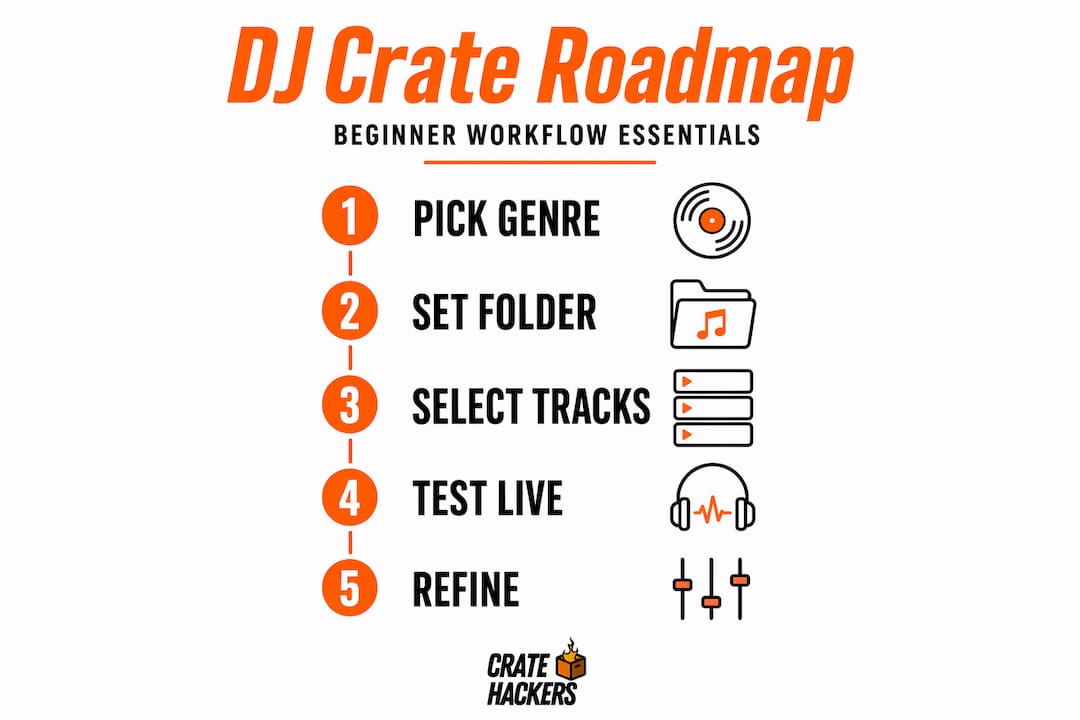
Pick 20 to 40 tracks you know cold. Not tracks you think you should play. Tracks you genuinely love and know how they feel on a dance floor. DJ City recommends starting with just a handful of key tracks and expanding slowly. This forces you to be selective and makes your first crate actually usable.
-
Choose your organizing criteria. You have four main options: genre, BPM range, energy level, or mood. Most experienced DJs use a combination. A good starting structure is genre at the top level, energy level at the sub-crate level. Example: “Hip-Hop” as a main crate, then “Hip-Hop / High Energy” and “Hip-Hop / Low Energy” as sub-crates.
-
Build a hierarchical structure. A hierarchy with main and sub-crates organized by genre, BPM range, and energy gives you performance-ready browsing. You should be able to find the right track in under 10 seconds without thinking.
-
Tag every track before it enters a crate. BPM, musical key, energy level (1 to 5 works well), and a short comment field. Metadata tagging is what makes fast track recall possible and what powers smart crates. Skip it now and pay for it on every gig.
-
Set up at least one smart crate. Smart crates auto-populate based on rules you define, like all tracks with BPM between 120 and 128, or all tracks tagged “High Energy.” Smart crates keep your library dynamic without you manually moving files every time you add new music.
-
Cap your crate sizes. Keep manual crates under 100 to 125 tracks maximum. Bigger than that and you’re back to scrolling. Smaller crates mean faster decisions under pressure.
Here’s a quick comparison of crate organization approaches to help you decide what fits your style:
| Approach | Best for | Downside |
|---|---|---|
| Genre-based | Beginners, mixed-format DJs | Can get broad and unmanageable fast |
| BPM-based | Techno, house, EDM DJs | Ignores mood and energy shifts |
| Energy-level-based | Club and event DJs | Subjective, needs consistent tagging |
| Hybrid (genre + energy) | Most use cases | Requires more upfront setup time |
Pro Tip: For a 60-minute set, prepare 35 to 45 tracks as your working pool. That buffer gives you room to read the room and pivot without running out of options.
Maintaining and growing your crates without losing control
Building your first crate is the easy part. Keeping it clean over months of gigs and new music drops is where most DJs struggle. Here’s how to stay on top of it.
-
Add music gradually. Never bulk-import 500 tracks at once. Your brain and your library both need time to process new additions. Batch your adds in groups of 10 to 20, and run each batch through your inbox before sorting.
-
Use your inbox folder religiously. Every track that enters your computer goes into the inbox first. Nothing bypasses the inbox. This is the single habit that keeps your main library performance-ready at all times.
-
Schedule a monthly audit. Set a recurring calendar event. During the audit: remove duplicates, delete tracks that didn’t work live, update energy tags on anything you’ve played recently, and archive tracks you no longer use instead of deleting them outright.
-
Build event-specific crates ahead of each gig. Pull from your master crates and build a focused set list. Design these crates around decision moments like openers, peak-hour tracks, closers, and emergency tracks for when the crowd shifts unexpectedly.
-
Use consistent naming conventions. Every crate name should follow the same pattern. “Hip-Hop :: High Energy :: 2024” beats “hiphop new stuff.” Standardized naming cuts search time and keeps your workflow reliable across sessions.
-
Back up your library and crate data. Use an external drive or cloud storage. Your crate structure lives in the software database, not just in your music files. Back up both.
Pro Tip: Create an “Archive” crate alongside your performance crates. When a track stops working live but you’re not ready to delete it, move it there. You’ll thank yourself six months later when a trend cycles back.
Common beginner mistakes when building DJ crates
Knowing what to do is half the battle. Knowing what not to do is the other half.
-
Dumping everything into one giant crate. This is the classic beginner trap. One crate with 800 tracks is not a crate. It’s a search problem. Avoid the single-playlist dump and use the staged inbox workflow instead.
-
Skipping metadata. Untagged tracks are invisible in smart crates and painful to browse manually. If you add a track without BPM and energy data, you’ll spend 20 seconds hunting for it during a set. Do that 10 times and you’ve lost the crowd’s energy.
-
Ignoring crate hierarchy. A flat list of 30 crates with no structure is barely better than one giant crate. Build the hierarchy intentionally from day one.
-
No event-specific prep. Walking into a gig and opening your full library to browse is asking for a rough night. Build a dedicated crate for every event, even if it’s just 40 tracks pulled from your masters.
-
Perfectionism paralysis. Some beginners spend weeks organizing instead of playing. Your crates don’t have to be perfect to be useful. Get them good enough, then refine as you go.
-
No backups. Losing your crate structure because of a hard drive failure is a real and common disaster. Back up weekly.
Preparation like well-tagged crates and event-specific playlists doesn’t limit your creativity. It enables improvisation from a position of strength. You can take risks when you know exactly what’s behind you.
What good crates actually feel like in the booth
When your crate library is working, something shifts in how you perform. Here’s what that looks like in practice:
- You stop scrolling and start playing. Track recall drops from 30 seconds to under 5. You spend your mental energy reading the room instead of hunting through folders.
- Your transitions get smoother. When tracks are sorted by BPM and energy, your next move is always close at hand. Smaller crates reduce cognitive load directly during live sets, which means cleaner decisions under pressure.
- Crowd engagement goes up. You’re present. You’re watching people’s reactions. You’re not buried in a laptop screen.
- You can experiment freely. A well-organized music library on Windows or Mac makes it easy to drop in new tracks without disrupting your flow, because you know exactly where they live.
- Different gigs feel manageable. A wedding, a club night, and a corporate event all have different energy demands. With tailored event crates, you walk into each one prepared, not guessing.
This is what the work is for. Not the aesthetics of a clean library. The real payoff is confidence in the booth.
My honest take on starting your crate library
I’ve watched a lot of beginner DJs make the same mistake. They try to build the perfect library before they play a single gig. They spend hours tagging, renaming, and sorting. Then they show up to a real event and realize their perfect system doesn’t match how they actually think under pressure.
What I’ve learned is this: start absurdly small. Build one crate with 30 tracks you’d bet money on. Play from it. See what you reach for and what you skip. That feedback is more valuable than any organizational framework.
The crates that actually perform well are personal. They reflect your taste, your instincts, and the specific crowds you play for. A software setup guide can help you get the technical foundation right, but the artistic layer is yours to develop.
And here’s something nobody tells beginners: your crate system will break and rebuild itself several times as your style evolves. That’s not failure. That’s growth. Embrace the mess at the start. Clean it up over time. Keep playing.
— Dominick
Build smarter crates with Cratehackers
Organizing your first crate manually teaches you the fundamentals. But as your library grows, the manual approach starts costing you hours you don’t have.
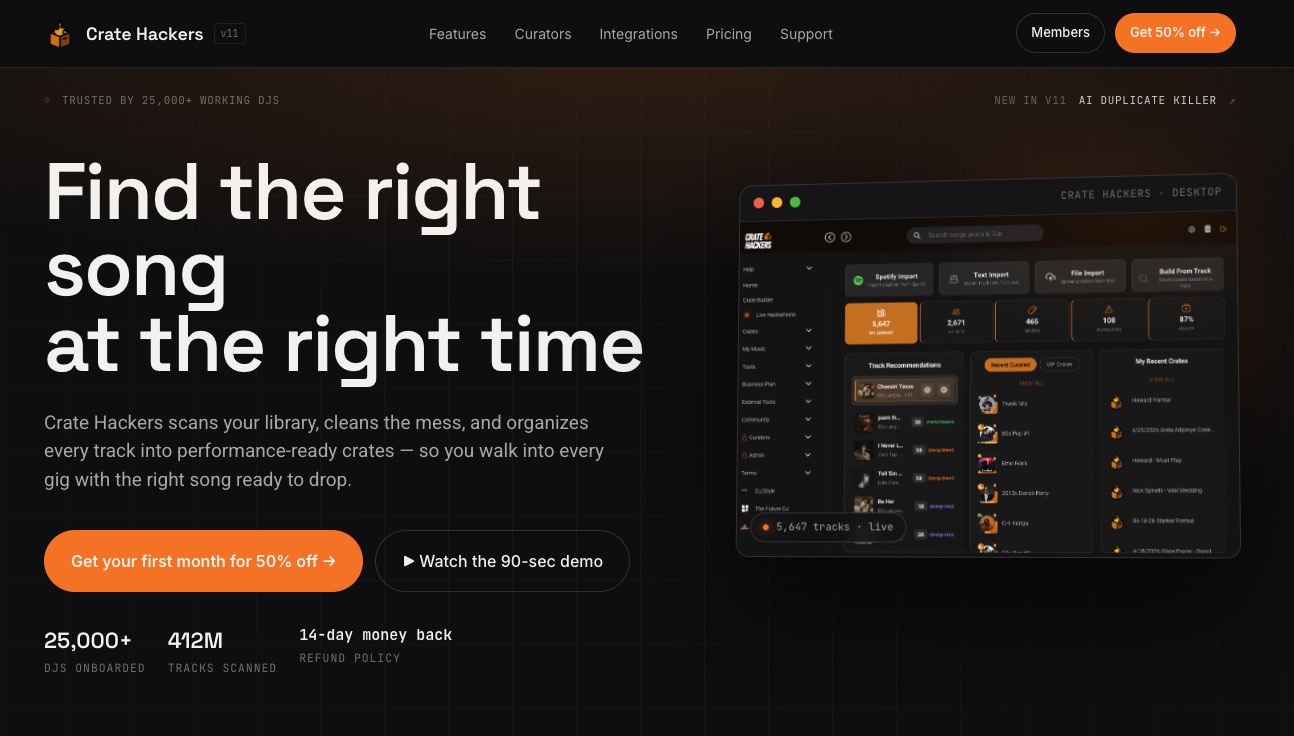
That’s where Cratehackers comes in. The platform is built specifically for DJs who want to spend less time organizing and more time playing. It scans your existing collection, detects duplicates, matches your tracks against Spotify and Apple Music playlists, and exports clean, performance-ready crates directly into Serato, Rekordbox, or Virtual DJ. For beginners, the curator drops feature gives you pre-tagged, genre-sorted crates from experienced DJs so you can skip the steep learning curve and get to performing faster. Your time is better spent behind the decks.
FAQ
What are DJ crates and why do they matter?
DJ crates are organized folders or playlists inside DJ software where you group tracks by genre, BPM, energy, or event type. They matter because they control how fast you can find the right track under pressure during a live set.
How many tracks should a beginner put in their first crate?
Start with 20 to 40 tracks you know well. DJ City recommends beginning with a small set and expanding gradually so your crate stays cohesive and usable from the start.
What is the best way to organize DJ crates for beginners?
Use a hybrid approach: organize main crates by genre, then create sub-crates by energy level or BPM range. Tag every track with BPM, key, and energy data before adding it to any performance crate.
How often should I clean up and update my crates?
Audit your crates once a month. Remove duplicates, retire tracks that aren’t working live, and update tags on recently played music. Regular maintenance keeps your library fast and reliable.
Can I use smart crates as a beginner?
Yes, and you should start early. Smart crates auto-populate based on rules you set like BPM range or energy level, so your library stays organized automatically as you add new music.