
Managing a DJ library across multiple software platforms creates wasted time and inconsistent playlists when cues, metadata, and organization do not transfer cleanly. Existing tools often lock essential backup, conversion, or cloud sync features behind high subscription tiers or fail to handle both local and cloud libraries with reliability. This comparison covers features like cross-platform conversion, curated crates, backup automation, and price so you can choose a DJ library management solution that matches your gig workflow without technical headaches.
Table of Contents
- Crate Hackers
- Lexicondj
- Mixo.dj
- Djoid
- My DJ Cloud
- Disco
- Comparative Analysis of DJ Library Management Tools
Crate Hackers
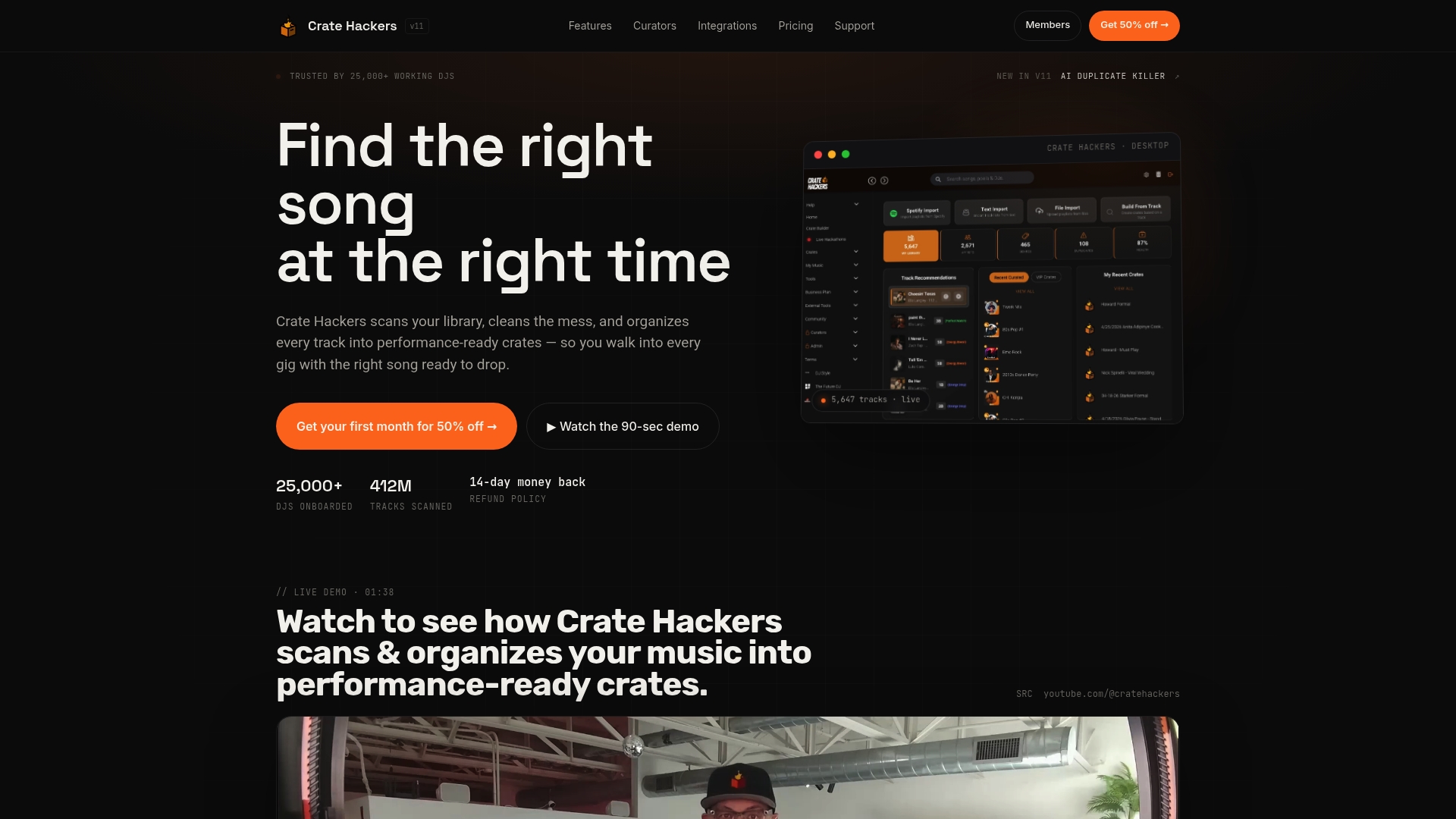
At a Glance
The vendor reports over 25,000 DJs use the platform, a concrete sign that Crate Hackers targets high volume library managers. It runs as an offline capable desktop app for macOS and Windows that scans and cleans large collections quickly.
Core Features
- Music library scanning and organization that identifies metadata gaps and groups files into performance ready crates.
- Crate creation and management with automated rules to build theme or event crates fast.
- Duplicate detection and removal to shrink storage and remove confusing duplicates from playlists.
- Track matching with playlists and record pools plus automated playlist import and fuzzy matching to find missing tracks.
- Export crates to streaming platforms and DJ software so your crates work in Serato or Rekordbox during shows.
Key Differentiator
Crate Hackers combines deep DJ software integrations with curated crates from recognized DJs and cloud export features. That mix lets you match local libraries to streaming services and DJ decks, which lowers manual prep when you are building gig playlists from multiple sources.
Pros
- Integrates tightly with major DJ workspaces so you do not rebuild crates twice. That saves hours when switching between Serato and Rekordbox.
- Powerful duplicate tools make a dent in huge collections. Expect faster searches and fewer accidental plays during sets.
- Curated crates from notable DJs give you ready to use sets and genre specific starting points that reduce creative dead time.
- Cloud exporting lets you push crates to Spotify Apple Music or Tidal and then play from a streaming library when you prefer not to carry drives.
- The vendor reported user count above supports a healthy community of workflows and public curator drops that keep crates current.
Cons
- Requires a desktop environment and has no mobile app, which means last minute edits on a phone are limited compared with mobile first tools.
Notable Integrations
- Serato
- rekordbox
- Virtual DJ
- Traktor
- Engine Prime
- Denon
- DMS
- BPM Supreme
Who It’s For
Professional DJs mobile entertainers and avid hobbyists with large local libraries who need curated starting points and reliable export paths to decks and streaming services. If you run multiple software ecosystems this is built for that workflow.
Unique Value Proposition
The offline desktop client for macOS and Windows is the single operational fact that changes prep flow. You can scan and clean 10,000 plus tracks on a laptop in a studio or backstage without constant cloud upload. That reduces prep time and keeps your machine usable during a gig.
Real World Use Case
A wedding DJ imports a client playlist and runs fuzzy matching against a 40,000 track library. Crate Hackers finds substitutes and fills gaps, removes duplicates and exports a Spotify crate for quick access on the fly. Prep that once took hours finishes in a single session.
Pricing
Plans start at $15 for the first month and the annual plan is $197 with extra features and curator crates included. The vendor offers a 14 day money back guarantee and users can cancel at any time.
Website: https://cratehackers.com
Lexicondj
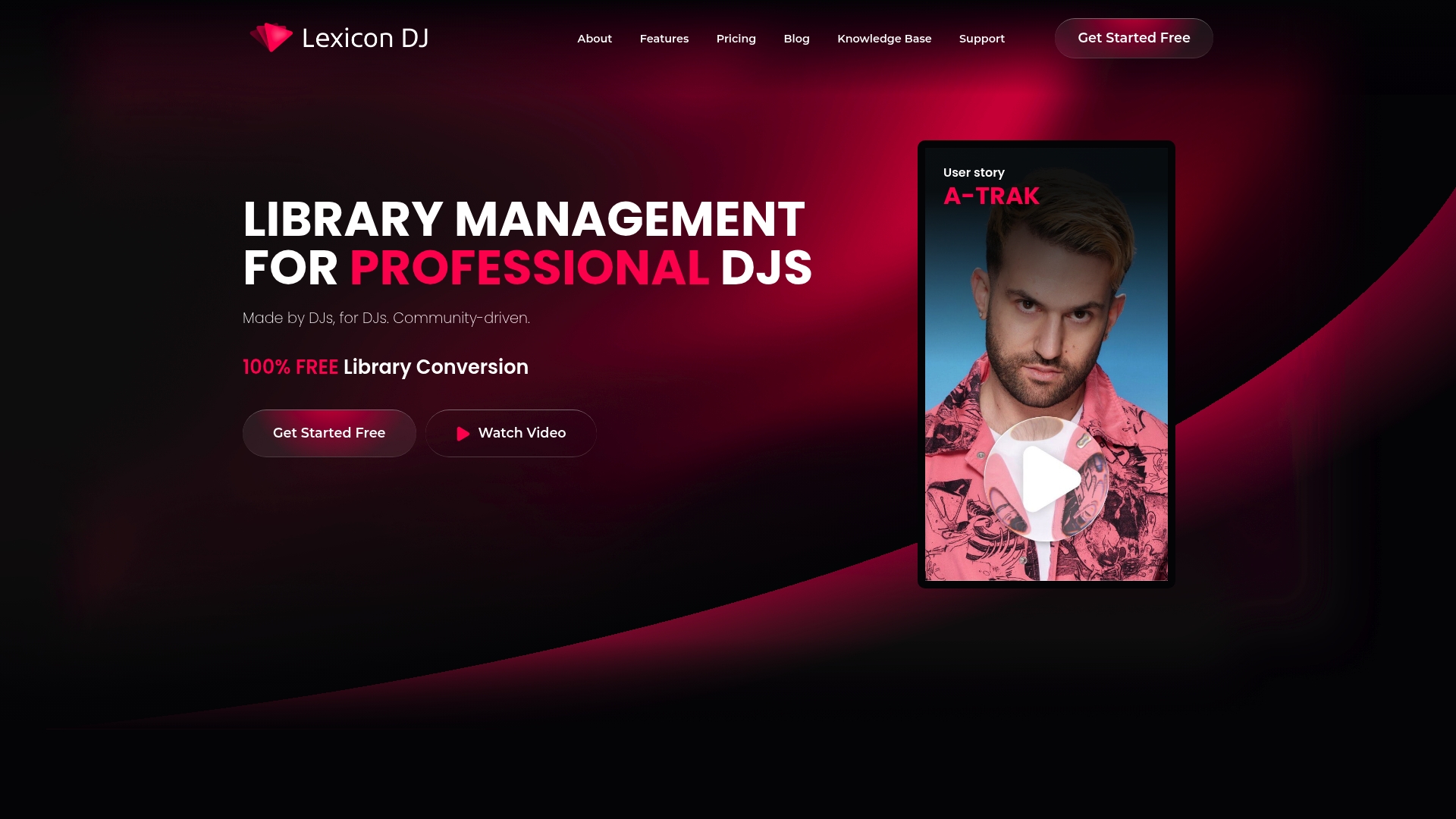
At a Glance
Lexicondj advertises 100% free sync and conversion across Rekordbox, Serato, Engine DJ, Traktor, and VirtualDJ, a bold claim for DJs moving between platforms. The tool is community driven and runs on Windows and macOS, positioned as a Swiss Army knife for large, cross-platform libraries.
Core Features
- Library conversion that transfers cues, BPMs, and playlists between major DJ apps without redoing edits.
- Automatic cue point generation with adjustable settings for different performance styles.
- Duplicate, broken file, and lost-track detection plus genre cleanup and metadata editing.
- Cloud backup, archive tools, CSV/M3U playlist export, and a mobile/Bluetooth app for remote library tweaks.
Key Differentiator
The vendor positions Lexicondj as built by DJs for DJs, with an emphasis on lossless, cross-platform conversion and deep library hygiene tools. That focus narrows the product compared with Cratehackers, which centers on AI-driven crate building, curated drops, and export workflows rather than raw format conversion and community-backed free tools.
Pros
-
Powerful organization. The duplicate finder, archive mode, and metadata editor remove clutter quickly and make a large collection usable again.
-
Cross-app fidelity. The conversion flow preserves cue data and playlists in many cases, which speeds migration projects that otherwise take hours.
-
Affordable entry. Basic features are free and the paid plans are clearly tiered for DJs who want lifetime options rather than recurring fees.
-
Cloud and mobile reach. Cloud backup plus a Bluetooth/mobile app means you can repair or rebuild crates from a phone when you are away from your studio.
-
Community development. Feature requests and fixes come from active DJs, so real-world prep problems tend to land on the roadmap.
Cons
-
Steep learning curve for advanced features; the interface exposes many controls that intimidate users who just want a simple transfer.
-
Risk of data mishandling during import or batch edits; careless batch operations can alter tags or overwrite crates if you skip confirmations.
-
Reports of inconsistent genre and energy tagging from different users, so automated sorting may need manual review.
When It May Not Fit
If you want a hands-off, AI-driven crate builder and curated performance-ready playlists, Lexicondj is a narrower tool focused on conversion and cleanup. Novice DJs who need gentle onboarding or teams that require strict guardrails for live libraries should look elsewhere.
Who It’s For
Serious DJs who manage large or multi-platform libraries and are comfortable with a tool that exposes powerful, low-level controls. Ideal when you need precise conversions, cue preservation, and full control over metadata and archives.
Real World Use Case
A DJ migrating from Traktor to Rekordbox used Lexicondj to move playlists, generate cue points with a single pass, and clean duplicates. The migration saved hours of manual editing while keeping cue integrity for sets.
Pricing
Free for basic features. Paid tiers include Essential at $9.99 per month or a $199 lifetime option, and Ultimate at $19.99 per month or a $399 lifetime option. A cloud storage add-on is available at $29 per month.
Website: https://lexicondj.com
Mixo.dj
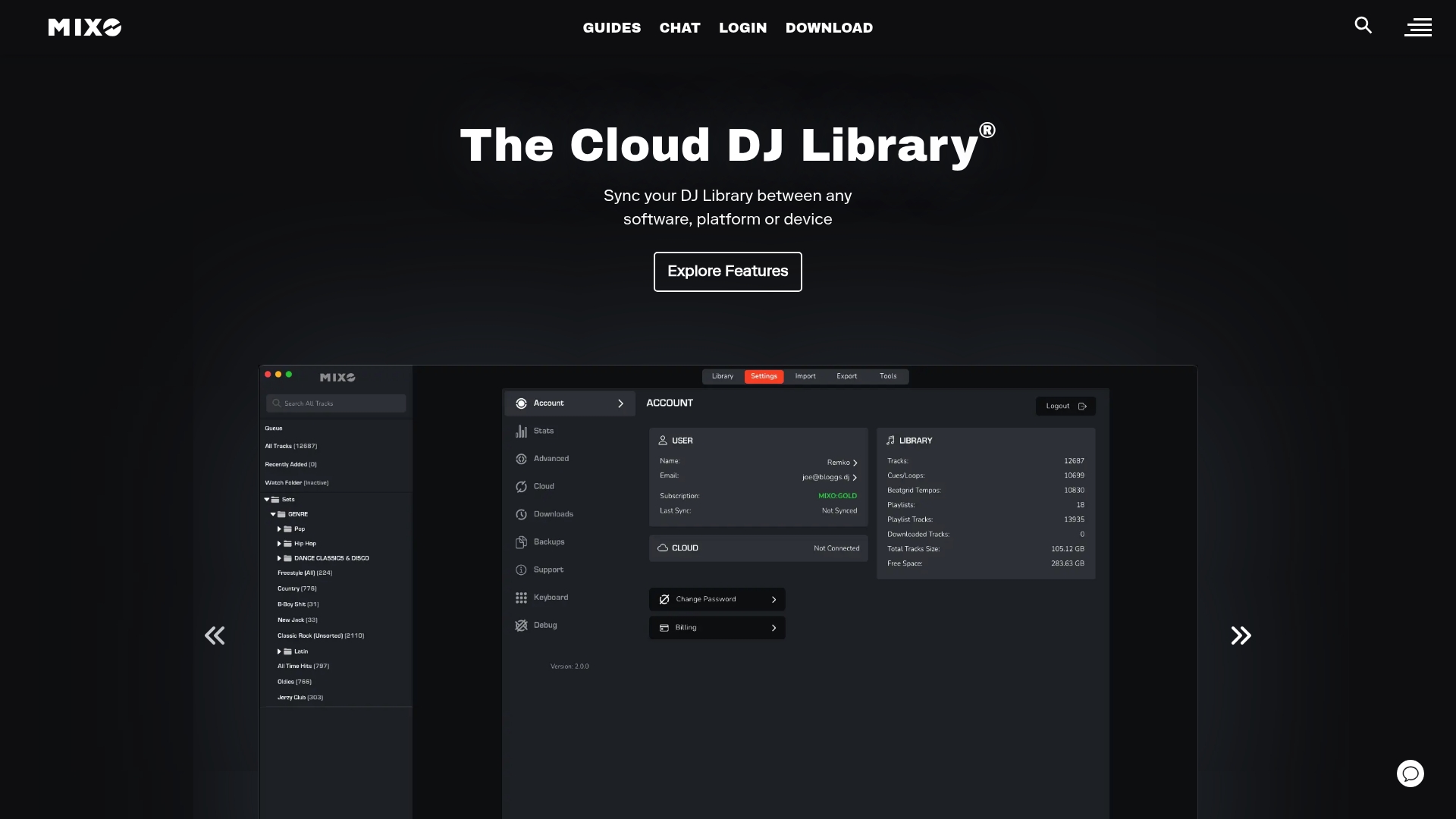
At a Glance
7-day free trial, then $7 per month is the subscription model Mixo.dj advertises for ongoing library sync and conversions. The app centers on keeping a DJ library consistent across multiple software titles and cloud accounts with minimal fiddling.
Core Features
Cross platform library synchronization that moves playlists, cuepoints, beatgrids, artwork, ratings, and metadata between major DJ apps.
Conversion support for Rekordbox, Traktor, Virtual DJ, Serato, and other DJ software, plus cloud storage links to Google Drive, One Drive, and Dropbox.
A unified desktop app to manage transfers and perform format conversions without rebuilding cuepoints by hand.
Key Differentiator
Mixo.dj stakes its position on broad format conversion plus native cloud storage links, letting you migrate a library from one DJ ecosystem to another while keeping metadata intact. That focus on both cloud integration and wide software compatibility narrows the problem it solves and speeds setup for DJs who juggle multiple systems.
Pros
-
Rapid platform moves. When you need a Serato playlist on a Rekordbox drive, Mixo.dj handles the heavy lifting so you avoid manual cuepoint reentry.
-
Supports cloud workflows. Direct connections to Google Drive, One Drive, and Dropbox make it easier to centralize files and avoid USB swap chaos.
-
Clean, professional interface and founder support that answers tricky transfer questions quickly.
-
Affordable ongoing cost. The vendor advertises a low monthly price after the trial which keeps recurring fees predictable for working DJs.
Cons
-
Branding confusion with an unrelated AI site named mixo.io leads to user uncertainty and occasional wrong support requests.
-
Some transfers are imperfect; the product data warns that individual songs may not transfer correctly and you will sometimes need manual fixes.
-
The service is subscription based which adds a small recurring expense for DJs who only need a one time migration.
When It May Not Fit
If your workflow is strictly local file management on a single software you already own, Mixo.dj offers more than you need and adds an unnecessary subscription overhead.
If you require perfect, automated transfers for very large or obscure libraries, the product data notes transfer errors can occur that require manual adjustment.
Notable Integrations
- Google Drive
- One Drive
- Dropbox
These cloud hooks let you keep a master copy online and push the same organized files to different performance machines.
Who It’s For
DJs, music producers, and enthusiasts who regularly perform on multiple DJ platforms or who switch between laptop and club setups. It fits professionals who value consistent cuepoints and metadata across environments.
Real World Use Case
A mobile DJ prepares at home using Serato and needs the exact same playlists and cuepoints on a club PC running Rekordbox. Mixo.dj moves the library and preserves metadata so the DJ arrives ready to play without reworking sets.
Pricing
The vendor advertises a 7 day free trial followed by a $7 per month subscription for ongoing synchronization and conversion services. That pricing keeps the tool affordable for gigging DJs who need regular transfers.
Website: https://mixo.dj
Djoid
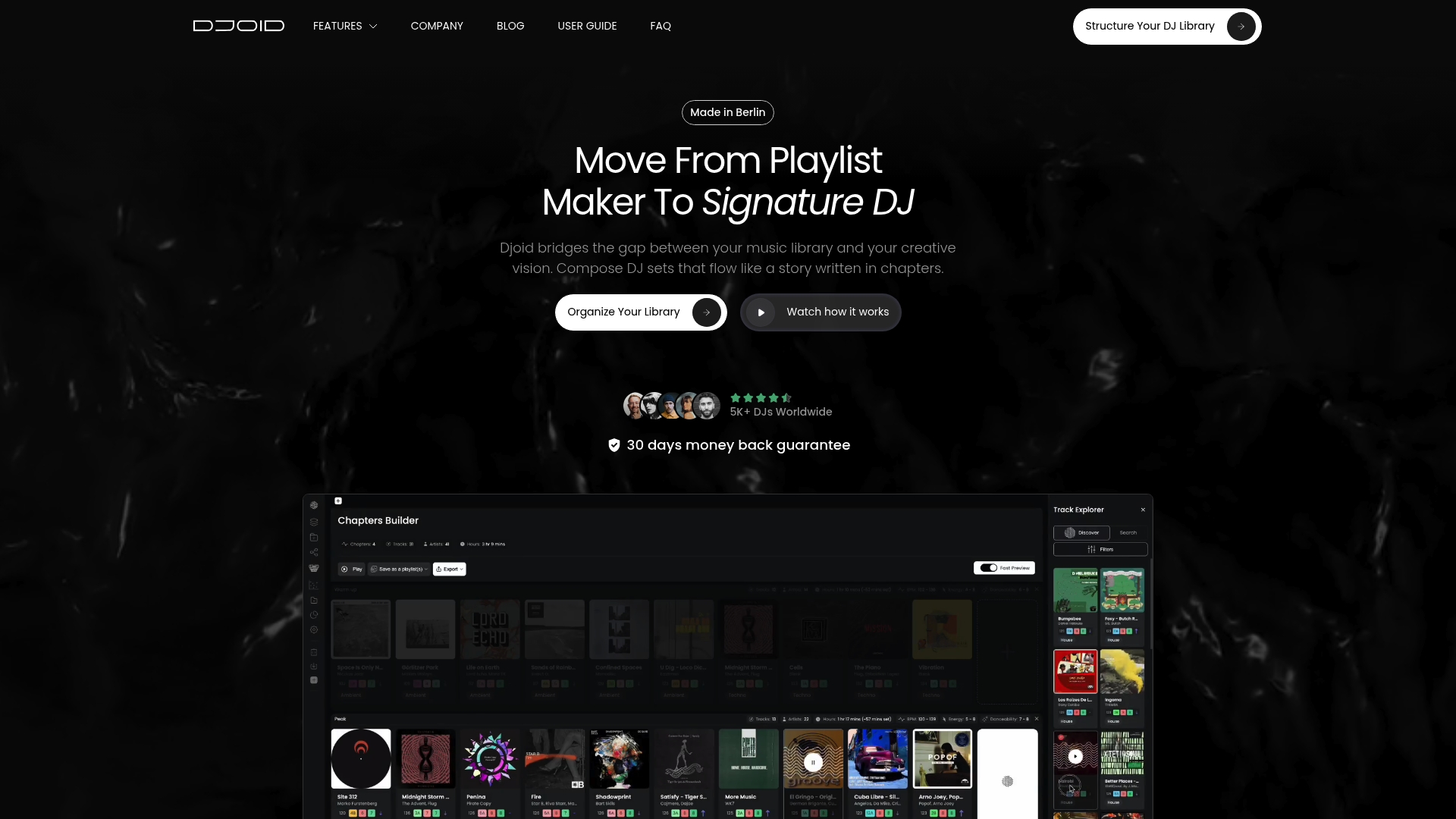
At a Glance
Djoid reports being used by over 5,000 DJs worldwide, a sign the app has traction among DJs juggling large libraries. The product leans hard on visual tools that help you build set chapters and map track relationships for performance storytelling.
Core Features
- Chapter Builder for segmenting sets into narrative sections and beat-matched passages.
- Graph Playlists that visualize connections between tracks based on harmony and energy.
- Scatter Map for spatial browsing of similar tracks across your collection.
- Auto Group for automatic clustering, Cue Points for marking mix moments, Genre Detection, Magic Sorting, and Matching Tracks for playlist migration and cleanup.
Key Differentiator
Djoid’s standout element is its visual graph interface. The graph maps track relationships by harmony, energy, and emotion so you can see transition paths instead of guessing them. This makes set planning feel more like sculpting a flow than assembling a list.
Pros
- Visual planning speeds creative work. The graph view surfaces nonobvious transitions and lets you assemble arcs across tempo and mood rather than just BPM.
- Designed for big libraries. The tools above scale to thousands of tracks and let you cluster and search without opening hundreds of folders.
- Auto Group reduces manual tagging by clustering similar tracks automatically, saving hours of cleanup when you inherit a messy collection.
- Active product feedback loop. The developer team is responsive and the community is practical about workflows and bug reports.
- Tools built for storytelling. Chapter-based set building and Cue Points make it simple to rehearse a narrative set and keep energy peaks aligned.
Cons
- Pricing is on the high side for a beta-era product, which puts it out of reach for some hobbyists.
- Early releases reported stability issues and bugs during heavy library operations, which can interrupt prep sessions.
- The interface and visual concepts are dense; beginners will face a learning curve before they can use the features confidently.
When It May Not Fit
If you run lean on budget and expect a simple, click-and-play crate manager, Djoid is likely more than you need. Its visual workflow rewards time investment and benefits users with complex libraries.
If you rely on rock-solid stability for last-minute gig prep, the early-version stability notes above mean you should validate the app on a backup machine before deploying it for live shows.
Who It’s For
Professional DJs and serious hobbyists who manage thousands of tracks and want to craft story-driven sets. If your focus is energy arcs, harmonic relationships, and visual navigation rather than basic tagging, Djoid fits that mindset.
Real World Use Case
A festival DJ imports a decade of crates, uses Auto Group to surface compatible selections, builds three themed chapters with Chapter Builder, then refines transitions inside Graph Playlists. The result is a tight, rehearsed two-hour set with planned peaks and clear transition lines.
Pricing
Djoid lists €99/year for Djoid Pro and €149 for Djoid Pro Plus, which includes a live restructuring session to help reorder a large library and set up chapters.
Website: https://djoid.io
My DJ Cloud
At a Glance
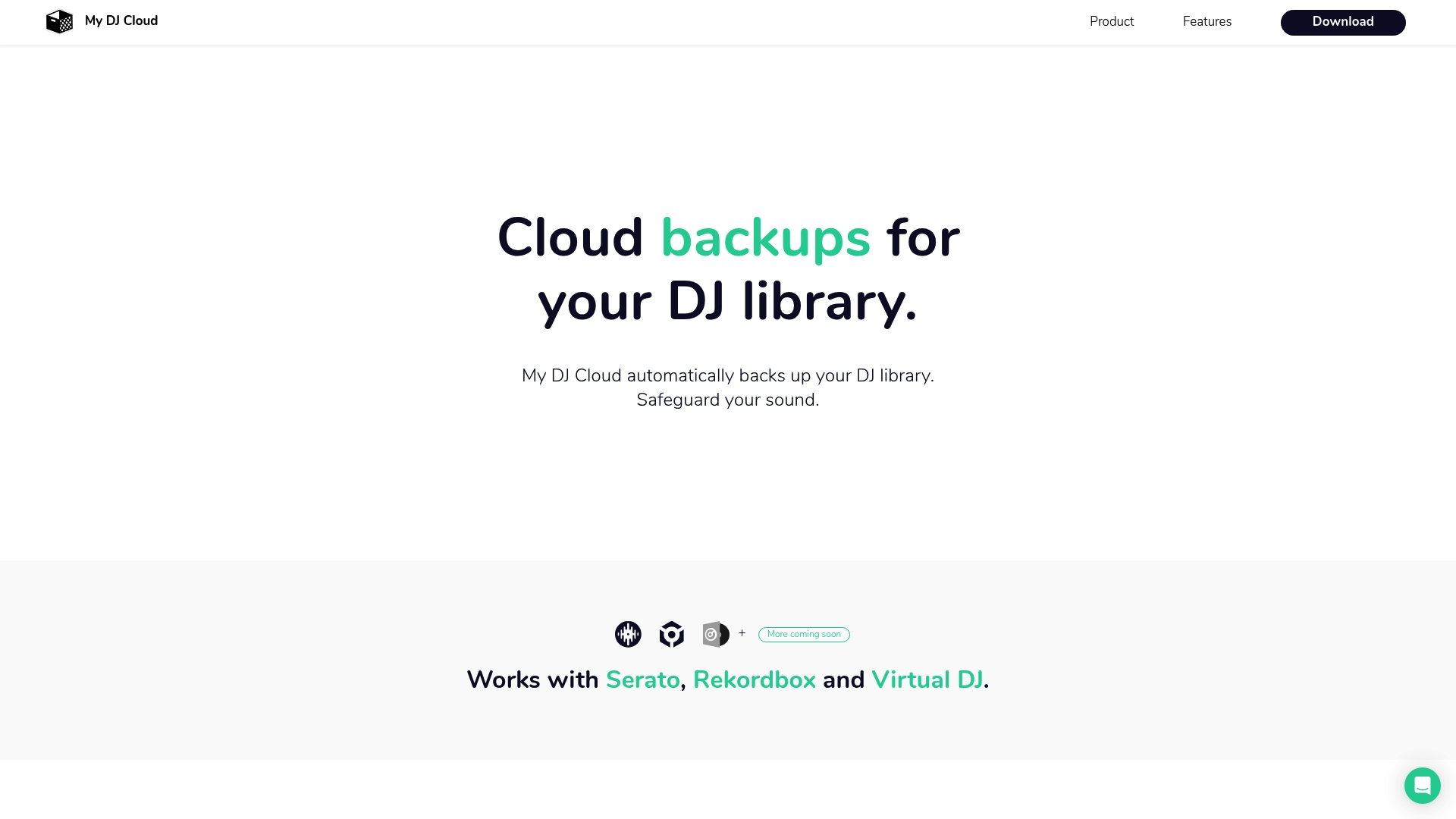
$7.99/month for a 200 GB plan and a larger $11.99/month tier for 2,000 GB are the clearest specifics here. My DJ Cloud targets DJs who need automatic, low friction backup and on-the-go streaming of their library and metadata.
Core Features
- Serato backup — preserves crates, cues, and hot cues alongside audio files.
- Rekordbox backup — stores exported Rekordbox library files and related metadata.
- Virtual DJ backup — captures Virtual DJ playlists and settings for restore.
- Library sync that mirrors changes across machines and keeps metadata current.
- MP3 storage and mobile streaming so you can access tracks from a phone.
Key Differentiator
My DJ Cloud positions itself around being built by DJs for DJs, claiming tailored backup and sync behavior that maps to DJ software workflows. That narrower focus differs from tools that combine deep library editing, AI crate building, and record pool integrations.
Pros
- Built with DJ workflows in mind, which simplifies backing up crates and cue points rather than treating files as generic media.
- Simple installation gets a background backup running in minutes so you spend less time configuring software and more time preparing sets.
- Affordable storage tiers make it easy to buy a plan that matches the size of a typical gig library without committing to enterprise pricing.
- Supports the three major DJ apps on most DJs’ rigs, so you rarely need manual exports when switching laptops.
- Mobile streaming adds practical value for reference and prep when you travel between venues.
Cons
- No independent user reviews are available in the product data, so real-world reliability and support responsiveness are unverified.
- Feature descriptions are thin beyond backup and sync; there is little detail about versioning, selective restore, or restore speed.
- The vendor did not list third-party cloud service integrations, which limits workflows that use multiple cloud stores.
- No explicit details on backup encryption or security protocols are provided in the available information.
When It May Not Fit
If you want automated crate building, AI-assisted duplicate removal, or advanced local library cleanup, this product is narrower than those solutions. Also skip it if you require documented encryption standards, regulatory compliance details, or multi-cloud redundancy information before buying.
Who It’s For
Solo DJs, mobile entertainers, and small DJ crews who want an automatic background backup that speaks Serato, Rekordbox, and Virtual DJ. It fits users who prize quick setup and reliable mirror copies over full library management toolkits.
Real World Use Case
A working DJ installs the client, points it at their music folders, and lets backups run while they sleep. When a laptop drive fails before a weekend gig, they restore the library and metadata to a fresh machine and play the same set with intact cue points.
Pricing
Two consumer tiers are listed. The entry level is $7.99/month for 200 GB. The larger plan is $11.99/month for 2,000 GB. Plans include mobile streaming and duplicate detection according to the vendor’s description.
Website: https://mydj.cloud
Disco
At a Glance
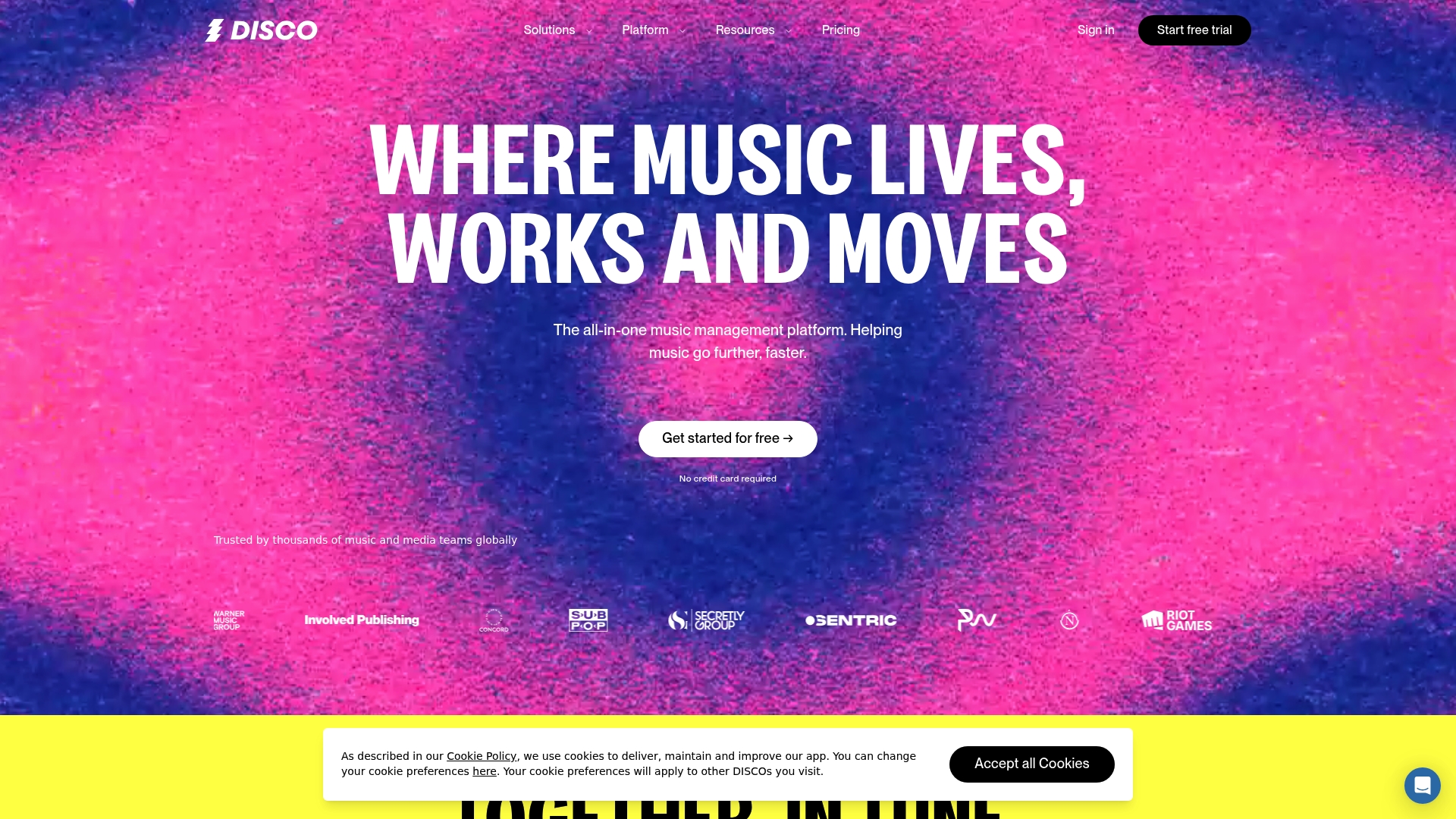
Disco reports it is trusted by thousands of music and media teams worldwide, a claim the vendor uses to position the product inside professional catalogs and licensing workflows. The platform pairs AI-powered discovery with file management and secure sharing to help rights holders find and pitch tracks faster.
Core Features
- Centralized catalog management for tagging, metadata cleanup, and batch edits so catalogs stay searchable and audition-ready.
- Music sharing with tracking tools that record who downloaded what and when, useful for pitching and rights workflows.
- AI-powered discovery and search that suggests matches from your catalog and surfaces similar tracks for licensing briefs.
- Playlist and track analytics to see engagement and destination performance across shares.
- Secure file transfer and access control with per-user permissions and time-limited links for partners.
Key Differentiator
The platform’s standout angle is its integrated AI-powered discovery tied directly to catalog and sharing tools. Instead of separate search and delivery apps, Disco positions discovery inside the same environment where you manage metadata and send secure promos, which reduces task switching for catalog teams.
Pros
- Useful for unlocking catalog value. The discovery tools help you unearth underused tracks and pair them with briefs, shortening search time.
- The sharing tracking gives a defensible audit trail when pitching to supervisors or partners, improving follow up accuracy.
- Flexible plans serve individual artists up to enterprise media teams, so labels can scale without swapping platforms mid-contract.
- The platform’s focus on music workflows makes features feel targeted; playlists, analytics, and access controls reflect real licensing needs.
- The trust claim above is reflected in industry anecdotes and case examples that appear in marketing materials.
Cons
- Several reviewers describe the interface as non-intuitive; new users report a learning curve when first importing large catalogs.
- Third-party reviews note slow customer support response times, which can be painful for time-sensitive licensing requests.
- Some users have reported unauthorized recurring charges in forums and review sites, a billing concern worth checking before onboarding.
When It May Not Fit
If you want a simple, plug-and-play uploader for a handful of tracks, Disco’s catalog features and discovery tools add unnecessary complexity. Teams that need instant, guaranteed support during urgent licensing windows should factor reported support latency into their decision.
Who It’s For
Labels, rights holders, music supervisors, and media companies that manage sizable catalogs and need discovery tied to secure sharing. Independent artists who want advanced pitching and analytics will find entry-level plans workable but should budget time for onboarding.
Real World Use Case
A record label uses Disco to centralize 15,000 tracks, run AI-based searches against licensing briefs, and send secure promos to supervisors. The label cuts search time and gains visibility into which promos were played or downloaded during clearance cycles.
Pricing
Pricing starts at $10.80 per month for artist-level plans, with tiered options for businesses and enterprise accounts that include advanced permissions and analytics. Contact sales for enterprise licensing and volume pricing.
Website: https://disco.ac
Comparative Analysis of DJ Library Management Tools
When considering the DJ library management ecosystem, identifying the right tool can significantly influence workflow efficiency and gig readiness. Here, we compare the features, benefits, and trade-offs of six notable services: Crate Hackers, Lexicondj, Mixo.dj, Djoid, My DJ Cloud, and Disco.
Integration and Export Capabilities
Crate Hackers distinguishes itself in providing deep integrations with major DJ software, including Rekordbox and Serato, allowing users to streamline their music library organization and preparation workflows. The export to cloud services such as Spotify and Tidal enhances mobility and performance convenience. Conversely, Mixo.dj also supports shifting libraries across systems but emphasizes cloud backup and synchronization.
User Assistance and Automation
Crate Hackers excels with curated playlist templates and automated metadata cleanups. The automation saves substantial time for DJs managing large libraries. Lexicondj, on the other hand, offers sophisticated conversion features while requiring a more hands-on setup, which appeals to those who want more control over metadata and genre organization.
Best Fit Scenarios
- Crate Hackers: Best suited for professional DJs managing large, diverse libraries who benefit from curated starting points and exports.
- Lexicondj: Ideal for DJs looking for precise library conversions and advanced control over metadata.
- Mixo.dj: Fits DJs utilizing cloud-based workflows requiring synchronization between multiple devices.
- Djoid: Recommended for those creating story-driven sets and benefiting from its visual interface.
- My DJ Cloud: Serves DJs emphasizing backup reliability and metadata protection with fast restoration capabilities.
Our Pick
Crate Hackers offers exceptional value for DJs focusing on efficiency and high-quality preparation workflows. By combining integration capabilities with user-friendly automation features, it serves as an choice for professional DJs looking to simplify and elevate their performance preparations. However, for DJs desiring deep library conversion control, Lexicondj might represent a better-aligned option.
DJ Library Management Tools Comparison
Discover which DJ library management tool best suits your needs based on advanced features, software integrations, and pricing structures.
| Product Name | Core Feature | Key Differentiator | Best For | Pricing | Notable Limitation |
|---|---|---|---|---|---|
| Cratehackers | Music library scanning and metadata cleaner | DJ software integrations and curated crates from DJs | DJs managing large music libraries | Starting at $15/month, $197/year | No mobile app available |
| Lexicondj | Library conversion across major DJ apps | Community-developed with cross-app fidelity | DJs requiring high-quality conversions | Free basic, $9.99/month or $199 lifetime | Steep learning curve |
| Mixo.dj | Cross-platform library synchronization | Native cloud storage integration | DJs juggling multiple platforms | 7-day trial, $7/month | Requires a subscription for use |
| Djoid | Chapter-based set structuring | Visual graph playlists for intuitive flow | DJs crafting narrative-driven sets | €99/year | Pricing may be high for some |
| My DJ Cloud | Automatic library backup | Tailored to DJ workflows and major app crates | DJs prioritizing secure backups | $7.99/month for 200 GB | Limited details on backup encryption |
For further details or to select the tool that fits your workflow, visit their respective websites.
Ready to Upgrade Your Music Library Management Beyond the-drop.serato.com Alternatives
Managing large DJ libraries across multiple platforms can feel overwhelming when juggling crate building, duplicate removal, and playlist export. Cratehackers is built specifically for DJs who need to cut prep time with automated crate creation, powerful duplicate detection, and smart export options to Serato, Rekordbox, Virtual DJ, and more. Its offline desktop app lets you clean and organize local libraries fast without relying on constant cloud uploads.
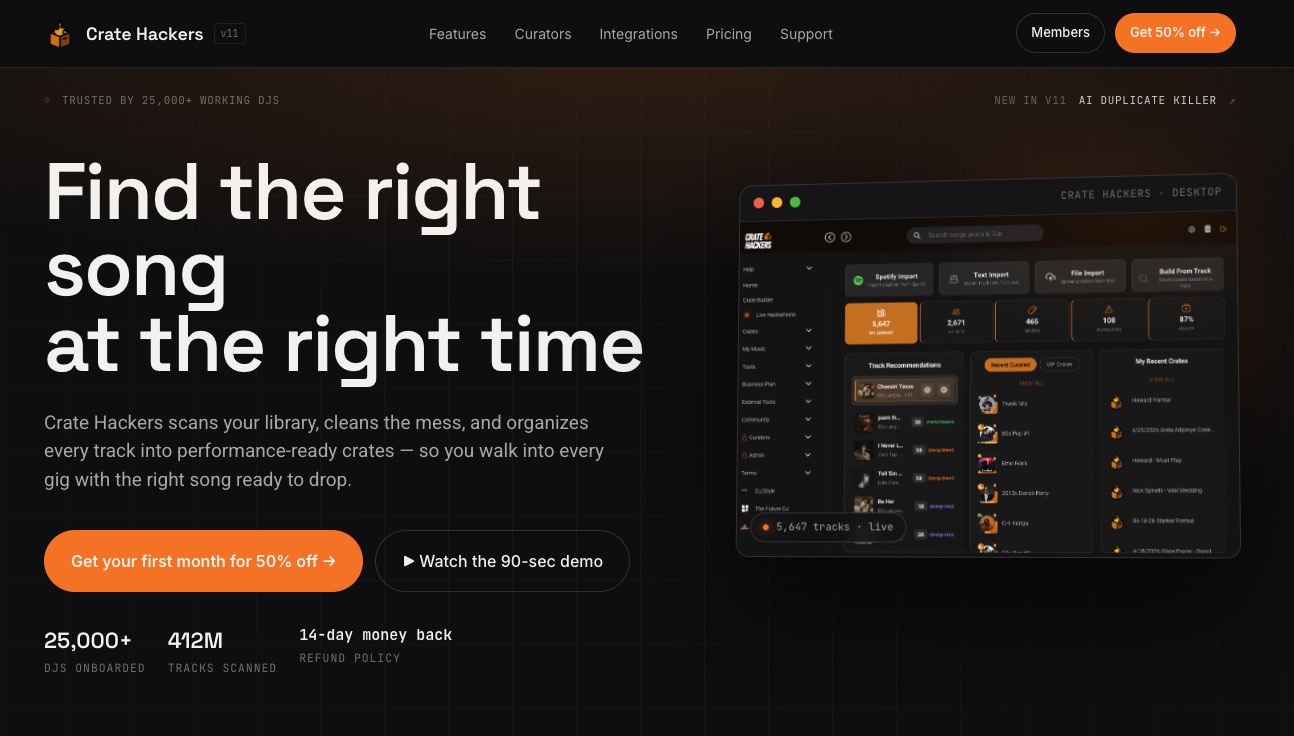
Take control of your gig prep with Cratehackers by visiting Cratehackers Official Site. Explore how AI-driven tools and curated playlists from top DJs will help you build flawless sets and sync seamlessly with streaming platforms. Get started and save hours on library cleanup today.
Frequently Asked Questions
How does Crate Hackers support music library organization?
Crate Hackers offers music library scanning and organization that identifies metadata gaps and groups files into performance-ready crates. This feature allows DJs to quickly clean and prepare their extensive collections for gigs. For anyone managing a large music library, Crate Hackers simplifies the organization process significantly.
What is the difference between Crate Hackers and Lexicondj?
Lexicondj is a community-driven tool known for its 100% free sync and conversion capabilities across major DJ applications. On the other hand, Crate Hackers excels in crate creation and management, prioritizing workflows that integrate with various DJ setups, making it ideal for those needing comprehensive crate management rather than simple conversion.
Can I manage duplicate tracks effectively with Crate Hackers?
Crate Hackers includes powerful duplicate detection and removal tools that significantly reduce storage and confusion in playlists. This feature ensures that DJs can eliminate unnecessary duplicates, thus enhancing the overall performance experience. It’s particularly beneficial for those with extensive track libraries.
Does Crate Hackers offer cloud export capabilities?
Yes, Crate Hackers allows users to export their crates to popular streaming platforms and DJ software, like Serato and Rekordbox. This capability makes it easier for DJs to manage their sets across different environments and software ecosystems, streamlining the process of preparing for live performances.
What pricing plans does Crate Hackers offer?
Crate Hackers starts at $15 for the first month, with the annual plan priced at $197, which includes additional features and curator crates. This pricing structure provides flexibility for DJs of different experience levels and needs, making it accessible for both new and established users.